
Deliverables
Verify a Deliverable
Verify the cryptographic signature on SignatureAPI PDF deliverables using public key certificates.
All SignatureAPI PDF deliverables are sealed with a cryptographic signature. You can verify that a deliverable was generated by SignatureAPI and has not been altered since it was issued.
The signature is created using one of these public key certificates:
Certificate 0FE1
Certificate 0FE1
| Field | Value |
|---|---|
| Serial Number | 0FE117EE6AF5B1EECC367D06D7845D17 |
| SHA-256 Fingerprint | 843AA9BB894A3C9956F6CD3F06E0D6E9E43F0A192849977F747F918A1C4F4F7E |
Download .cer file
Certificate 2979
Certificate 2979
| Field | Value |
|---|---|
| Serial Number | 2979AC8352AC3B82B72EAA318FFFA49D |
| SHA-256 Fingerprint | 815B8B425132FEB359334E4589CC8C7FE78C3F6DC976AB403825DFAC4F0B8CA2 |
Download .cer file
Certificate 2E87
Certificate 2E87
| Field | Value |
|---|---|
| Serial Number | 2E8766982802E57E49D02FA3907DCDCE |
| SHA-256 Fingerprint | CBD80A0B0B3F212C30590AF00DE75692D11CA9EA49C9B86FD82441BBB0A95BFA |
Download .cer file
Certificate 3C2A
Certificate 3C2A
| Field | Value |
|---|---|
| Serial Number | 3C2A804C599D18452298B145296FD433 |
| SHA-256 Fingerprint | 1B:F6:EA:62:5A:52:E5:36:B2:D9:0F:DA:8B:28:0A:41:58:11:80:7D:4F:B9:24:25:3A:A2:E1:84:C1:30:CC:46 |
Download .cer file
Certificate 533E
Certificate 533E
| Field | Value |
|---|---|
| Serial Number | 533ECFDBD0D3D876C4D452E2268A3F35 |
| SHA-256 Fingerprint | DC0B3B18804DC36ECE893C4A4D1C03F156C1D14F5991599DD85DFB9F6D1F7F60 |
Download .cer file
Certificate 5DC2
Certificate 5DC2
| Field | Value |
|---|---|
| Serial Number | 5DC2DACB8E8B3A32A387FBBED05FD79C |
| SHA-256 Fingerprint | 0638C6E40EB36D081A1FF578BCDB26799C96716CE4C021F3DB9B9CDC79CB0497 |
Download .cer file
Verifying in Adobe Acrobat
The easiest way to verify a deliverable is to open it in Adobe Acrobat Reader (free) or Adobe Acrobat (paid).
Step 1: Check that the signature is valid.
You should see a signature icon with a green check mark and the message “Signed and all signatures are valid.”
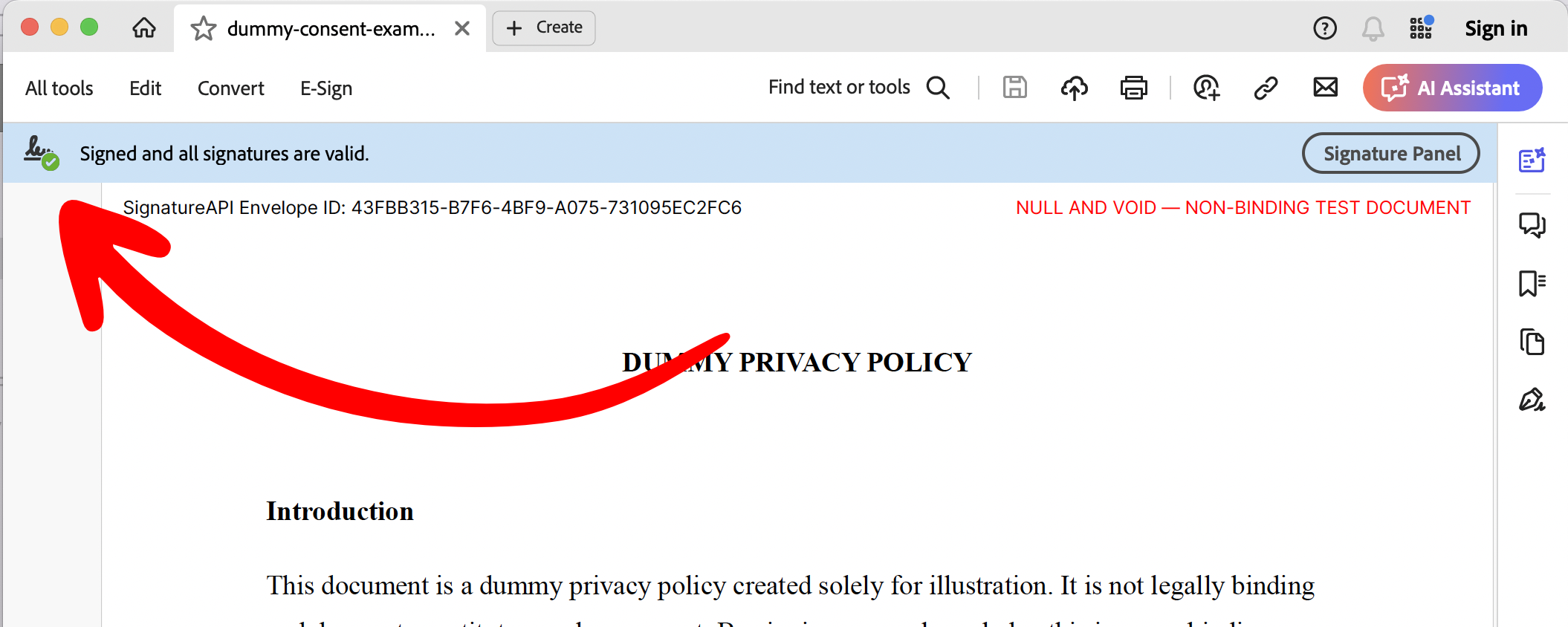
Step 2: Open the Signature Panel.
Click the signature panel to review the signer identity and confirm that the certificate matches one of the SignatureAPI certificates listed above. This confirms the deliverable was generated by SignatureAPI and has not been modified since it was sealed.