
Recipient Types
Preparer
A recipient type who fills in document fields on behalf of other signers
A preparer is a recipient who fills in document fields before the envelope reaches a signer. Preparers can complete text inputs, checkboxes, and dropdowns, but they cannot add signatures or initials.
Use preparers when someone needs to populate document data before a signer receives the envelope. Common examples include:
- A sales representative entering pricing, dates, or contract terms
- An internal team member adding details visible to other recipients
- An administrator collecting information separately from signatures
The preparer’s ceremony
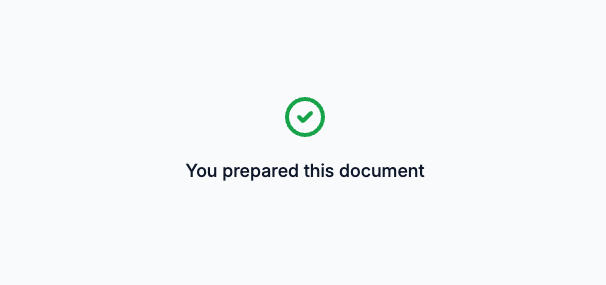
The preparer accesses the envelope through the preparer’s ceremony.
The preparer reviews the documents and fills in all input places assigned to them. These places may include:
- Text input fields for names, dates, or other values
- Checkboxes for selecting options
- Other data entry fields defined in the document

After filling in all required places, the preparer clicks Finish. The envelope then proceeds to the next recipient.
Workflow example
Create an envelope
Include a preparer recipient before any signers in the recipient list.
Preparer completes their ceremony
The preparer enters required information such as pricing, dates, or terms.
Subsequent recipients see the data
Recipients who act after the preparer see the document with the preparer's fields already filled in.
Signers complete signing
Signers review the document and add their signatures.
Creating an envelope with a preparer
Specify "type": "preparer" for recipients who should fill in fields before the signer receives the document. Use sequential routing so the preparer acts first.
// POST https://api.signatureapi.com/v1/envelopes
// X-API-Key: key_test_...
// Content-Type: application/json

{
    "title": "Sales Agreement",
    "recipients": [
        {
            "key": "sales_rep",
            "type": "preparer",
            "name": "Alex Smith",
            "email": "alex@company.com"
        },
        {
            "key": "customer",
            "type": "signer",
            "name": "Jordan Lee",
            "email": "jordan@customer.com"
        }
    ],
    "routing": "sequential",
    //...
}
In this example, the sales representative fills in the agreement details first. Then the customer receives the document to sign. With sequential routing, the preparer’s input is visible to the signer.
Assigning places to a preparer
Assign places to a preparer using the recipient_key property. Preparers can fill in text inputs, checkboxes, and dropdowns. Signature and initials places cannot be assigned to preparers.
{
    "documents": [
        {
            "places": [
                {
                    "type": "text_input",
                    "recipient_key": "sales_rep",
                    "key": "contract_value",
                    //...
                },
                {
                    "type": "signature",
                    "recipient_key": "customer",
                    //...
                }
            ],
            //...
        }
    ],
    //...
}
Delivery
The delivery_type controls whether SignatureAPI emails the completed deliverable to the preparer. It defaults to none, so the preparer does not receive the deliverable. Set it to email if you want them to receive it.
The preparer receives an email with the ceremony link when their ceremony uses email_link authentication, which is the default. To share the ceremony URL yourself instead, create the ceremony with custom authentication.
Next steps
- Recipient object - See all recipient properties
- Recipient lifecycle - Understand recipient status transitions
- Create a ceremony - Customize how the preparer accesses the envelope
- Approver - Add a reviewer who approves without signing
- Envelope routing - Configure the order recipients act on the envelope