
Power Automate
Troubleshooting
Debug failed Power Automate flows and resolve common SignatureAPI integration errors
If your flow run fails, you can check the run history to find out what went wrong.
The run history shows the status of each step in your flow, including any errors.
How to check a failed run
1
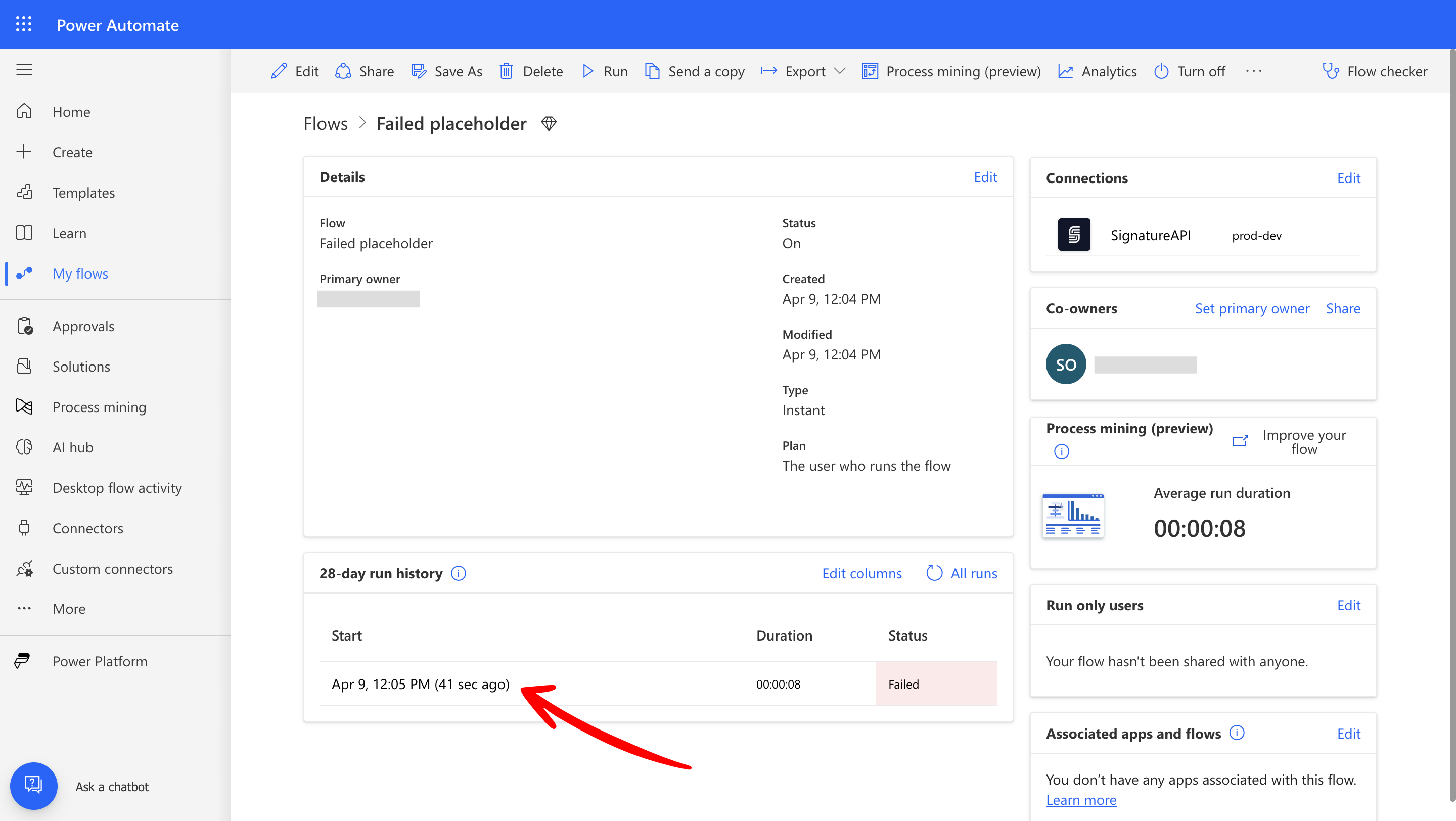
Select the failed run
In Power Automate, open your flow, go to the Run History, and select the run that failed.
2
Select the failed step
Find the failed step (with the red ) and select it.
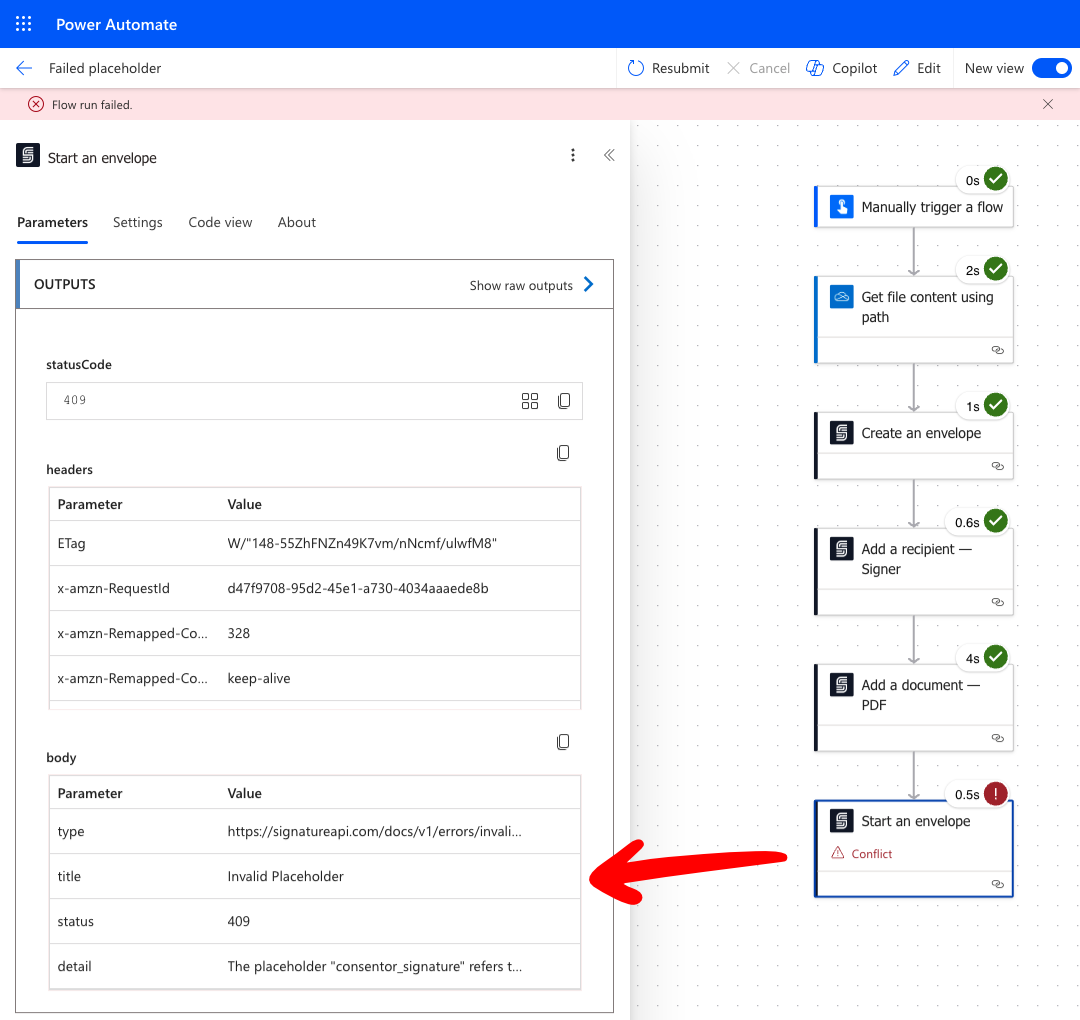
In the right pane, look under Outputs.
The body section in Outputs contains details about the error:
- The
typeparameter is a URL to a page with more information about this error. - The
detailparameter provides more information about this specific error.
If you’re stuck or need help understanding the error, contact our support team. We’re here to help.