Localization
Timestamp Format
Customize date and time format displayed in deliverables for Power Automate flows
In addition to time zones, you can customize the timestamps in the deliverables sent to your customers.
Default Timestamp Format
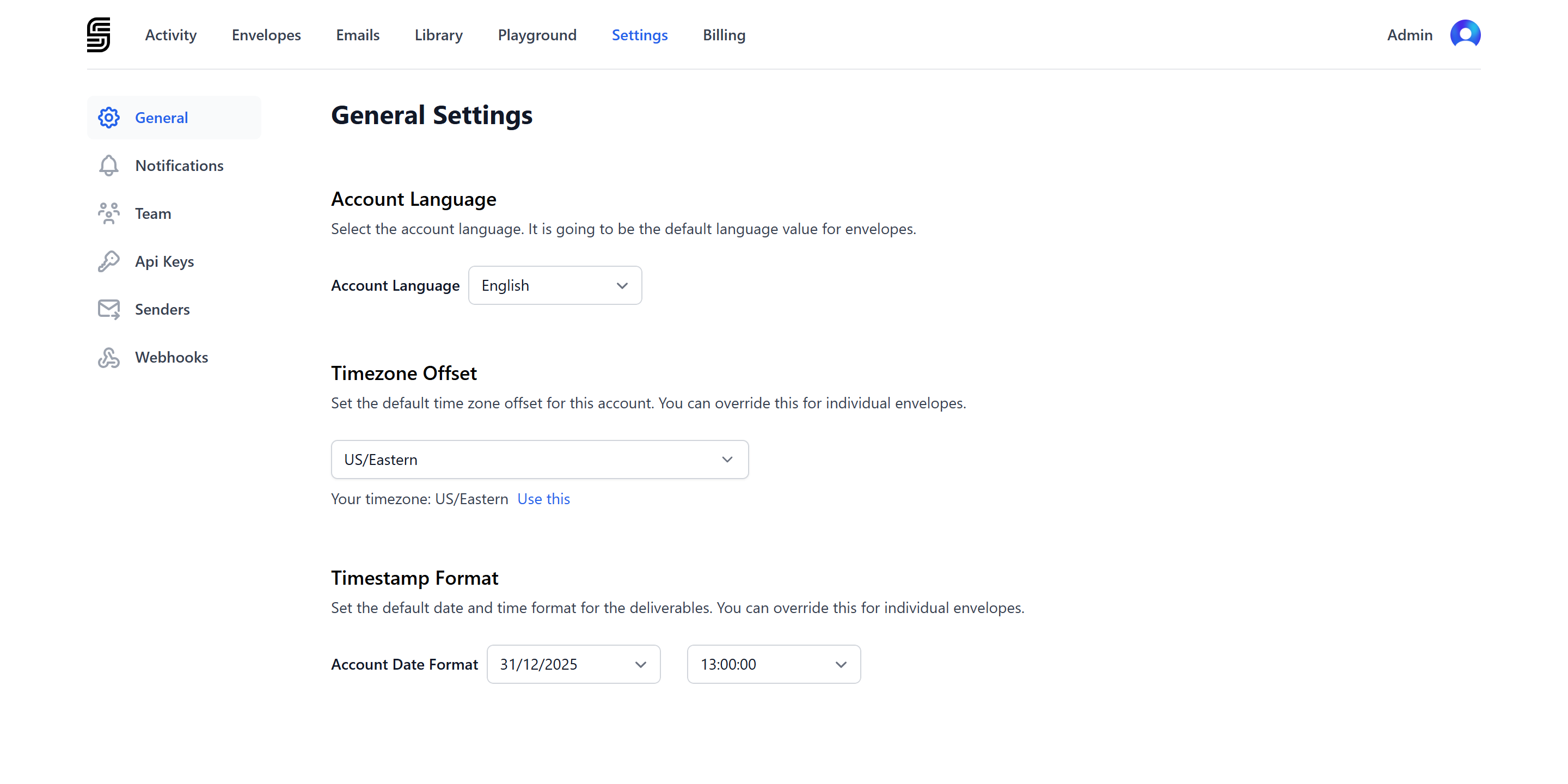
To set a new default timestamp format for your account:
- Go to dashboard settings.
- Navigate to the Timestamp Format section.
Envelope Timestamp Format
To set a specific timestamp format for an individual envelope, use the timestamp_format parameter when creating the envelope:
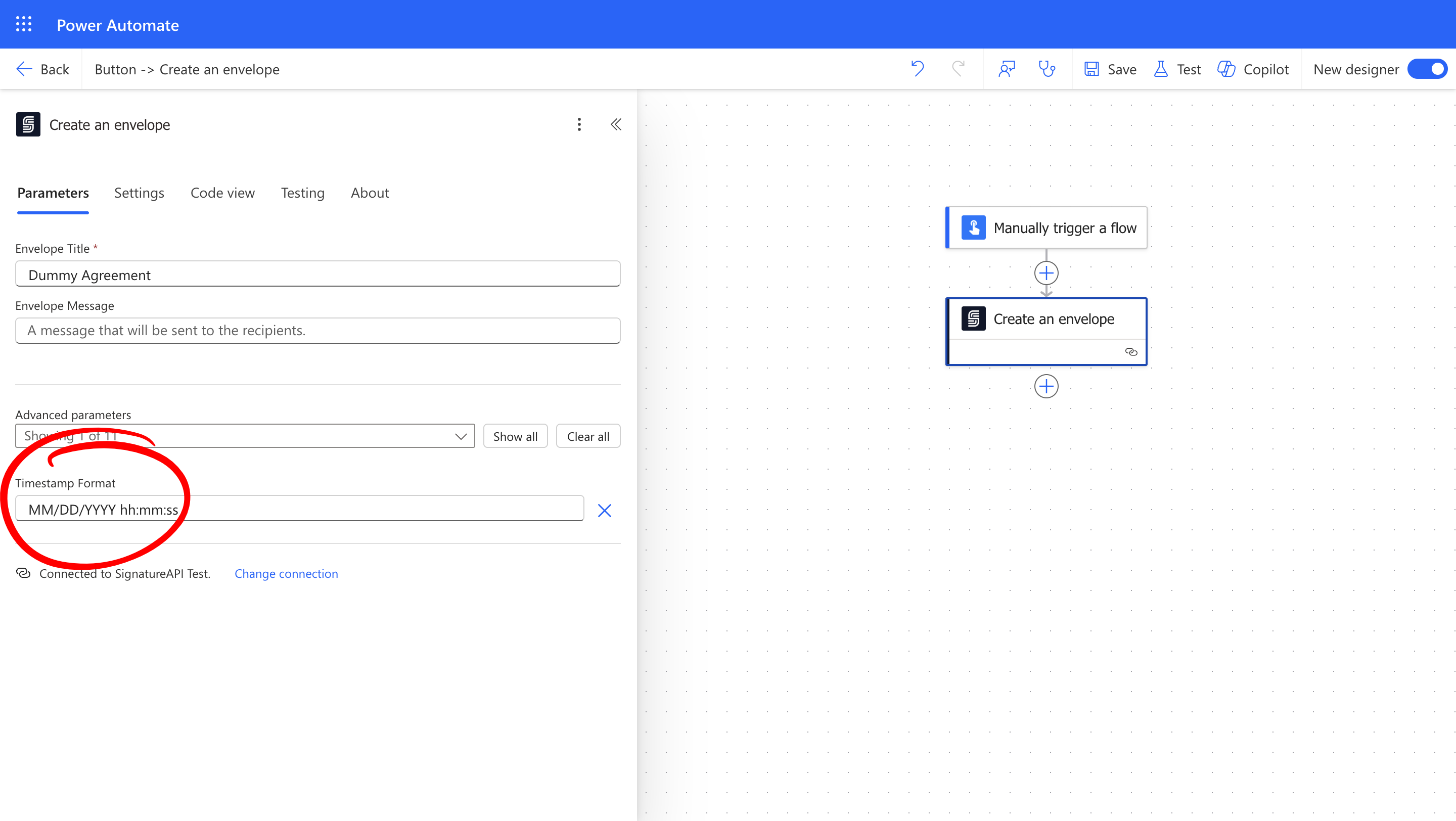
Building a Timestamp Format
Use these tokens to build timestamp formats:
| Token | Description |
|---|---|
| YYYY | Year |
| MM | Month |
| DD | Day |
| HH | Hour (24-hour clock) |
| hh | Hour (12-hour clock) |
| mm | Minutes |
| ss | Seconds |
You can use these separators:
- Date separators:
/(slash),-(dash),.(period),(space) - Time separators:
:(colon),.(period)
For example, to build the commonly used US date format, you would use the following tokens and separators:
MM/DD/YYYY hh:mm:ss
This will appear in the audit logs as 12/31/2025 11:59:59 PM.
Examples of Timestamp Formats
Here are common timestamp formats used in different regions:
| Timestamp format | Example | Common Usage |
|---|---|---|
MM/DD/YYYY hh:mm:ss | 12/31/2025 11:59:59 PM | Primarily in the United States |
DD/MM/YYYY HH:mm:ss | 31/12/2025 23:59:59 | Europe, Australia, parts of Asia and Africa |
YYYY-MM-DD HH:mm:ss | 2025-12-31 23:59:59 | ISO 8601 international standard |
DD/MM/YYYY hh:mm:ss | 31/12/2025 11:59:59 PM | Informal usage globally |
DD.MM.YYYY HH:mm.ss | 31.12.2025 23:59.59 | Commonly in Germanic and Eastern European countries |
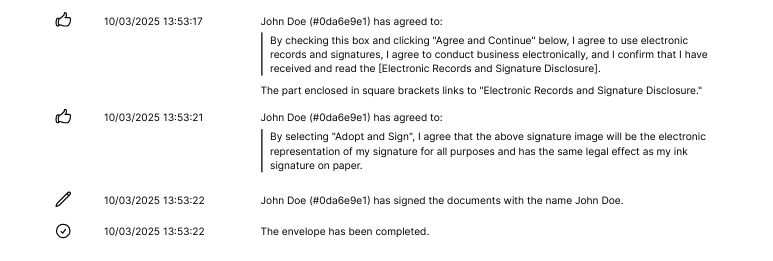
How Does It Look
Dates appear in the audit log in the specified format: