
Envelope Management
Branding Add-ons
Remove SignatureAPI branding from the signing ceremony, recipient emails, and the audit log, and send emails from your own domain
Envelope branding adds your logo and accent color to every envelope at no extra cost. SignatureAPI branding still appears next to yours: a “Powered by SignatureAPI” credit, our logo, and our name in a few places.
The branding add-ons remove it. There are three:
| Add-on | What it covers | Price |
|---|---|---|
| Unbranded ceremony | The signing ceremony | $250/month |
| Unbranded documents and emails | Recipient emails, the audit log, owner notifications, and sending from your own domain | $400/month |
| Full white-label | Both add-ons, plus signing on your own domain | $1,000/month |
Add-ons apply to your whole account, in both test mode and live mode. You don’t need to change your API requests, except to set a custom From address.
To enable an add-on, contact support@signatureapi.com. We turn it on for your account.
Unbranded ceremony
The Unbranded ceremony add-on removes SignatureAPI branding from the signing ceremony your recipients see:
- “Powered by SignatureAPI” credit. The credit and its link at the end of the documents are removed. So is the credit on the screens shown after a recipient signs, approves, prepares, or cancels.
- Loader. A neutral spinner replaces the SignatureAPI logo while the ceremony loads.
- Browser icon. The browser tab shows a neutral icon instead of the SignatureAPI icon.
- Page title. “SignatureAPI” is dropped from the page title.
The signing page stays on SignatureAPI’s signing domain. To sign on your own domain, see Full white-label.
Envelope branding works with or without this add-on. Your logo and accent color appear in the ceremony either way.
Unbranded documents and emails
The Unbranded documents and emails add-on removes SignatureAPI branding from everything sent after the envelope is created: recipient emails, the audit log, and owner notifications. It also lets you send recipient emails from your own domain.
Signing invitations and completion emails
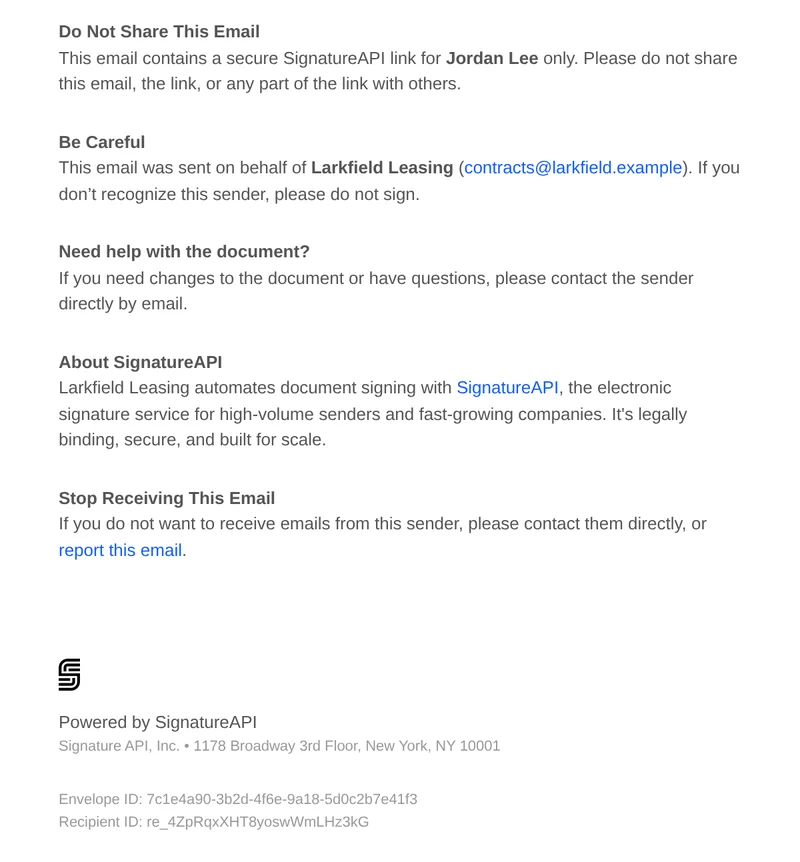
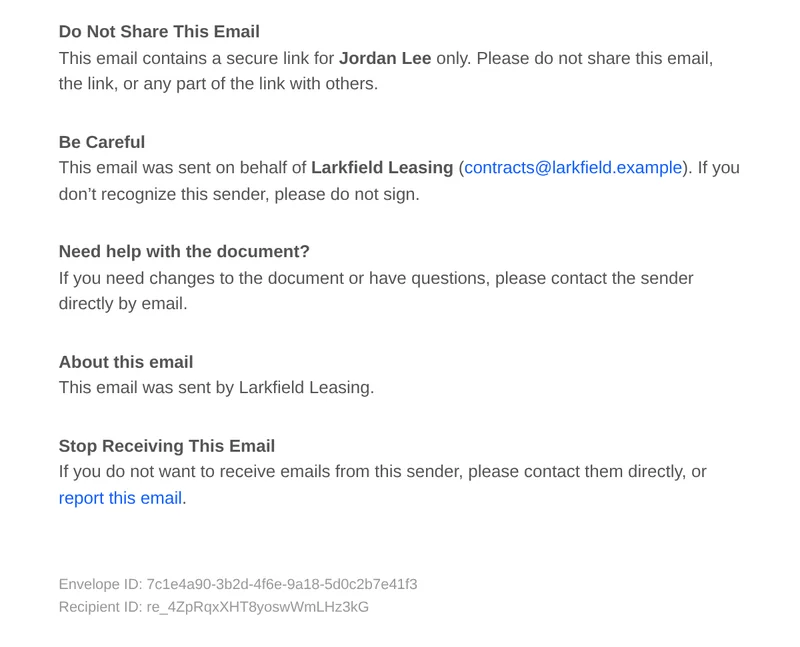
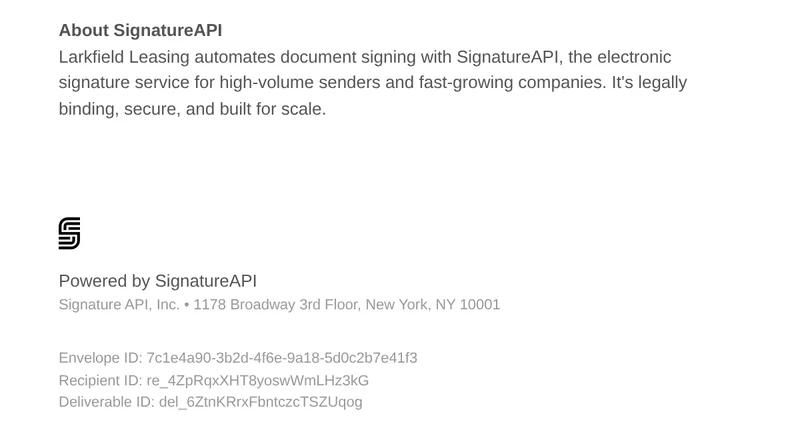
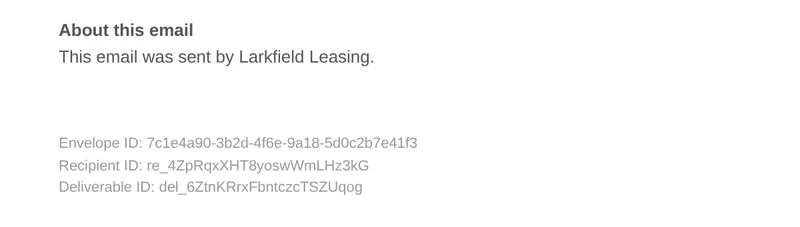
These changes apply to signing invitations, resent invitations, and completion emails (both the version with the signed documents attached and the version with a download link):
- About this email. The “About SignatureAPI” section becomes “About this email”, which reads “This email was sent by” followed by the sender’s organization. If the sender has no organization, it shows the sender’s name.
- Footer. The “Powered by SignatureAPI” footer, the SignatureAPI icon, and our postal address are removed.
- Do not share notice. The notice says “a secure link” instead of “a secure SignatureAPI link”.
Verification code emails
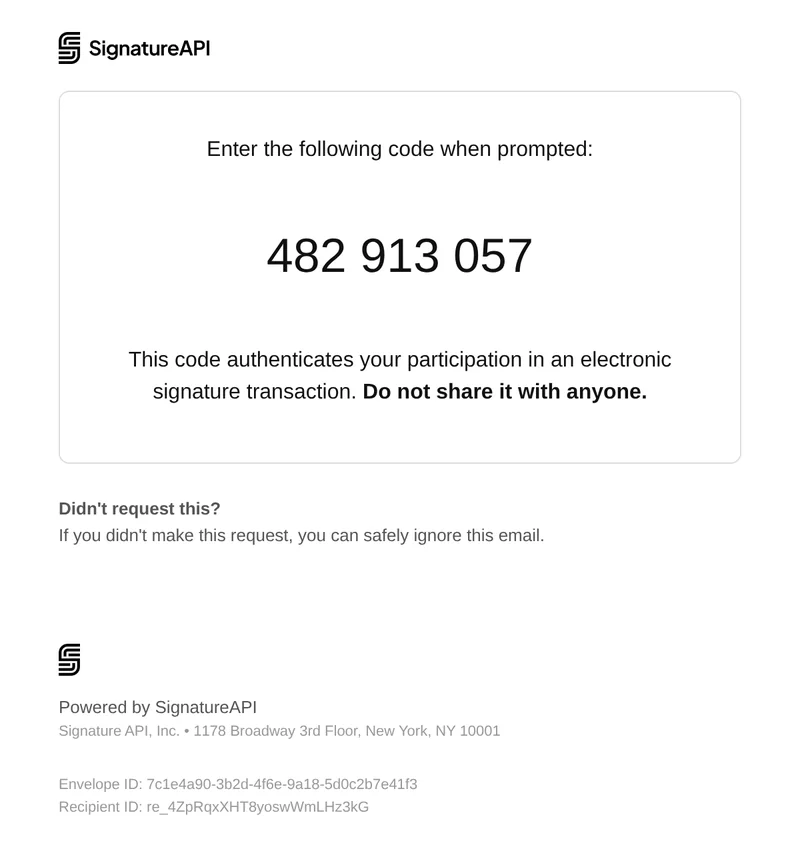
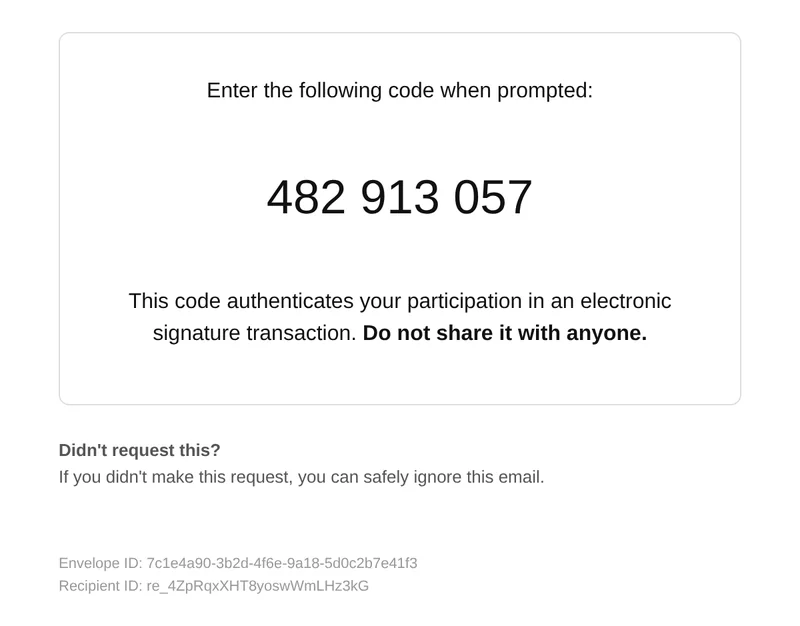
Recipients who authenticate with an email code receive a verification code email. With the add-on:
- The “Powered by SignatureAPI” footer is removed.
- Envelopes without a logo no longer show the SignatureAPI logo. Envelopes with a logo show it as usual.
- The From name is your account’s default sender name.
Audit log
The audit log has the SignatureAPI logo in the bottom corner of every page. With the add-on, the envelope’s logo replaces it. If the envelope has no logo, the corner stays empty.
The seal notice next to it stays. See What stays the same.


Owner notifications
Notifications sent to the account owner still come from noreply@signatureapi.com and link to the Dashboard. With the add-on, they show your account name as the sender, and our logo and footer are removed.
Send from your own domain
By default, recipient emails come from noreply@signatureapi.com. The Unbranded documents and emails add-on includes sending from your own domain, for example contracts@example.com.
Tell us the domain
Send us the domain you want to send from. We register it and send you the DNS records to add.
Add the DNS records
Add these records at your DNS provider:
- Three DKIM
CNAMErecords. - An
MXrecord and an SPFTXTrecord on a sending subdomain. - A DMARC
TXTrecord, if your domain doesn't have one yet.
Set the From address on each envelope
Once the records are in place, set branding.email.from on each envelope:
The custom From address applies to signing invitations, resent invitations, verification code emails, and completion emails. The From display name comes from sender.name on each envelope.
Mail from your own domain doesn’t go through SignatureAPI’s established sending pool. We don’t expect a big difference, but a new sending domain can see slightly lower inbox placement at first.
Full white-label
Full white-label includes both add-ons, plus signing on your own domain. Your recipients sign at an address like sign.example.com instead of SignatureAPI’s signing domain.
We set up signing on your own domain with each customer individually. Contact us to start.
What stays the same
Some SignatureAPI references stay in every add-on, because they prove who sealed the documents or help recipients report abuse:
- The seal. Deliverables are sealed with a cryptographic seal signed by Signature API, Inc. The notice about it on the audit log stays.
- Verification links. Attestation pages, such as NOM-151, link to
verify.signatureapi.com. - PDF properties. The document properties of deliverables list SignatureAPI as the producer.
- Envelope ID stamp. The “SignatureAPI Envelope ID” stamp on documents is a separate setting, free of charge. Support can move it or turn it off on request.
- Email footer IDs and reporting. Recipient emails keep the “report this email” link and the IDs in the footer.
Keep Learning
- Add your logo and accent color with Customize Branding.
- See every branding property in the branding object.
- Learn how senders control the name and Reply-To address in recipient emails.