
Recipients
Send an Envelope to an Approver
Route an envelope through an approver before it reaches a signer
An approver is a recipient who reviews and authorizes a document without adding a signature. Use an approver when someone needs to authorize a document before it goes out for a formal signature. Common examples include a manager reviewing a contract before it reaches a client, or a compliance officer checking a document before finalization.
In this example, we will create an envelope with:
- A single PDF document.
- Two recipients: an approver with the key
manager, followed by a signer with the keyclient. - Sequential routing so the approver acts first.
- One signature place assigned to the signer. The approver does not need a signature or initials place.
All other envelope settings use the default configuration:
- The signer will receive an email with a link to sign after the approver completes their step.
- The account’s default language, timezone, and timestamp format used.
delivery_type for approvers defaults to none, meaning the completed deliverable will not be automatically emailed to the approver. Set delivery_type to email if you want SignatureAPI to deliver the completed deliverable by email.Create the Envelope
When creating the envelope:
- Set
routingtosequential(this is the default, but it is good practice to be explicit). - Add the approver recipient before the signer in the
recipientsarray. The order of the array controls the routing order. - Set
"type": "approver"on the approver recipient. - Add a signature place to the
placesarray inside the document object, assigned to the signer only:key: Identifies the place. Must match the placeholder in the document file (e.g.,signer_signs_here).type: Set tosignature.recipient_key: Set to the signer’s key (client).
// POST https://api.signatureapi.com/v1/envelopes
// X-API-Key: key_test_...
// Content-Type: application/json

{
    "title": "Service Agreement",
    "routing": "sequential",
    "documents": [
        {
            "url": "https://pub-9cb75390636c4a8a83a6f76da33d7f45.r2.dev/privacy-placeholder.pdf",
            "places": [
                {
                    "key": "signer_signs_here",
                    "type": "signature",
                    "recipient_key": "client"
                }
            ]
        }
    ],
    "recipients": [
        {
            "type": "approver",
            "key": "manager",
            "name": "Sarah Chen",
            "email": "sarah@company.com"
        },
        {
            "type": "signer",
            "key": "client",
            "name": "Michael Torres",
            "email": "michael@client.com"
        }
    ]
}
Result
If the request is successful, Sarah Chen (the manager) enters the approver ceremony first. She reviews the document and, when satisfied, clicks Approve.

A confirmation screen appears once the approval is complete.
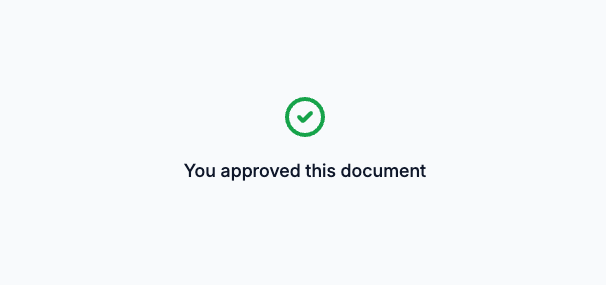
After Sarah approves, SignatureAPI routes the envelope to Michael Torres (the client). Michael receives an email with a link to sign the document and places his signature on the designated signature line.
Try It
Try this example in Postman using your test API key to create a free, non-binding test envelope. Test envelopes won’t send emails, but you can review them in your dashboard.
Keep Learning
- Learn about sequential signing for workflows with multiple signers in a specific order.
- Learn about parallel signing for workflows where signing order does not matter.
- Explore the Approver recipient reference for details on delivery and place assignments.
- Explore other types of places, such as text inputs that can be assigned to approvers.