
Ceremonies
Embed Signing in a Mobile App
Embed the SignatureAPI signing interface in your mobile app using a WebView
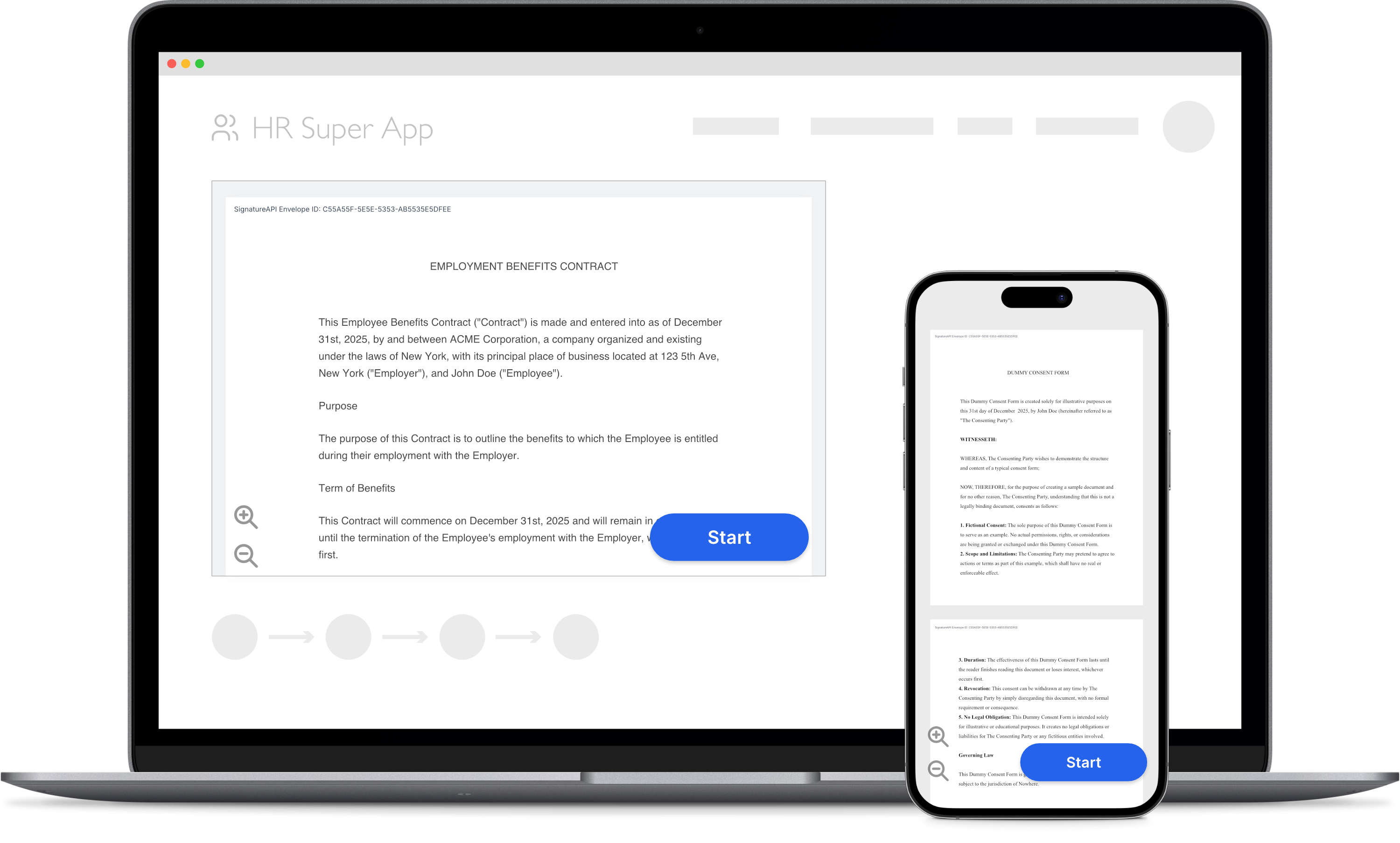
You can embed the signing ceremony directly in your mobile app using a WebView. The recipient signs inside your app, without switching to an external browser.
You need both:
- A server that creates the envelope and returns the ceremony URL.
- A client (your mobile app) that shows the ceremony and reacts to its events.
How it works
sequenceDiagram
    participant App as Mobile app
    participant Server as Your server
    participant API as SignatureAPI
    participant View as WebView
    App->>Server: Ask for the signing link
    Server->>API: Create the envelope with custom authentication
    API-->>Server: Ceremony URL
    Server-->>App: Ceremony URL
    App->>View: Load the URL with embedded=true and an event_delivery value
    Note over View: The recipient signs
    View->>App: Send the event: completed, canceled, declined, or failed
    App->>Server: Did the recipient sign?
    Server->>API: Read the envelope
    API-->>Server: Recipient status is completed
    Server-->>App: Confirmed, show the result screen
- Your server creates an envelope with
customauthentication. SignatureAPI returns the ceremony URL instead of emailing it. - Your app gets the URL from your server and loads it in a WebView, with
embedded=trueand anevent_deliveryvalue appended. - When the ceremony ends, it sends an event: completed, canceled, declined, or failed. Your app closes the WebView and shows the next screen.
- Your server confirms the outcome through the API or a webhook before acting on it.
Choose how to load the ceremony
There are three ways to receive events from a ceremony in a WebView:
flowchart TD
    Start([Show the ceremony in a WebView]) --> Q1{Do you already embed it in a web page with an iframe?}
    Q1 -- Yes --> Iframe[Local page with an iframe<br/>event_delivery=message<br/>needs embeddable_in]
    Q1 -- No --> Q2{Do you prefer a JavaScript message<br/>over a navigation?}
    Q2 -- No --> Redirect[Top-level WebView<br/>event_delivery=redirect<br/>recommended]
    Q2 -- Yes --> Message[Top-level WebView<br/>event_delivery=message<br/>document-start script]
Top-level WebView with redirect (recommended) | Top-level WebView with message | Local page with an iframe | |
|---|---|---|---|
| What the WebView loads | The ceremony URL itself | The ceremony URL itself | A page from your app that puts the ceremony in an <iframe> |
| Event delivery | event_delivery=redirect | event_delivery=message | event_delivery=message |
embeddable_in | Not needed | Not needed | The local page’s origin, such as https://app.example.invalid |
| How your app gets events | Catch the signatureapi-message:// navigation and cancel it | A script injected at document start forwards the message to native code | The local page checks each message and forwards it to native code |
| When to use it | Most apps | Your app prefers a JavaScript message and can inject a document-start script | You share a web SDK page, or need your own HTML around the ceremony |
With redirect delivery, the ceremony navigates the WebView to a URL such as signatureapi-message://ceremony.completed. This is a client-side navigation, so no request reaches the network. Only the WebView’s navigation handler sees it: HTTP-layer interception never does.
With message delivery in a top-level WebView, the ceremony posts to its own window. Your app injects a script at document start that forwards the message to native code. The script must accept only messages whose origin is the ceremony’s and whose source is the page’s own window. For the code, see iOS and Android.
With a local page, load its HTML with a synthetic https base URL. The WebView fetches nothing from that origin. List the same origin in the ceremony’s embeddable_in.
The iOS and Android guides cover all three approaches. The React Native guide covers the top-level WebView.
For a complete, runnable app with a server, see the SignatureAPI mobile integration demo.
Create the ceremony on your server
Your server creates the envelope with these settings on the recipient:
customauthentication, so the response includes the ceremony URL.delivery_typeset to"none"if your app distributes the signed documents itself.- No
redirect_url. Embedded ceremonies ignore it. - No
embeddable_infor a top-level WebView. For a local page, list that page’s origin. - Optionally,
redirect_delayset to0so your app shows its own result screen right away.
// POST https://api.signatureapi.com/v1/envelopes
// X-API-Key: key_test_...
// Content-Type: application/json

{
  "title": "Service Agreement",
  "documents": [
    {
      "url": "https://pub-9cb75390636c4a8a83a6f76da33d7f45.r2.dev/privacy-placeholder.pdf",
      "places": [
        {
          "key": "client_signature",
          "type": "signature",
          "recipient_key": "client"
        }
      ]
    }
  ],
  "recipients": [
    {
      "type": "signer",
      "key": "client",
      "name": "Jane Doe",
      "email": "jane@example.com",
      "delivery_type": "none",
      "ceremony": {
        "authentication": [
          {
            "type": "custom",
            "provider": "My App",
            "data": {
              "user_id": "usr_12345"
            }
          }
        ],
        "redirect_delay": 0
      }
    }
  ]
}
Wait until the envelope leaves processing (read it with GET /v1/envelopes/{id}), then read recipients[].ceremony.url. Return it to your app.
Rules for every platform
- Keep your API key on your server. Never call SignatureAPI from the app. An API key in an app bundle is exposed to anyone who installs the app.
- Leave
redirect_urlunset. Embedded ceremonies send events instead of redirecting. - Confirm the outcome on your server. An event is a UI signal, not proof. Read the envelope (
GET /v1/envelopes/{id}) or use a webhook before acting on it. See Confirm the outcome on your server. - Branch on
error_type. Forceremony.failed, treat an unknown value as a generic failure. Don’t showerror_messageto recipients. See Error types. - Keep the default WebView settings. They work, except that Android needs JavaScript turned on. The ceremony needs no cookies or storage. See Browser requirements for the hosts to allow.
- Treat the URL as a credential. Don’t log it or store it on the device. To resume, ask your server for the current URL. See A new URL on every read.
- Test with real input. The ceremony completes only after input a person produces. See Automated testing.
Try it
Use your test API key to create a test envelope and ceremony. Test envelopes don’t send emails, so you can try your integration without affecting real recipients. Review the results in your Dashboard.
Keep learning
- Read the Ceremony Events reference for every event type and error type.
- Learn how to customize the signing ceremony to match your app’s branding.
- Explore Custom Authentication for details on the server-side ceremony setup.