
Dashboard Sections
Browse Envelopes
View, filter, and manage envelopes from the Dashboard.
The Envelopes page lists all envelopes in your account. Use it to monitor signing progress, inspect envelope details, and take actions like canceling or downloading deliverables.
To view your envelopes, go to Envelopes in the Dashboard.
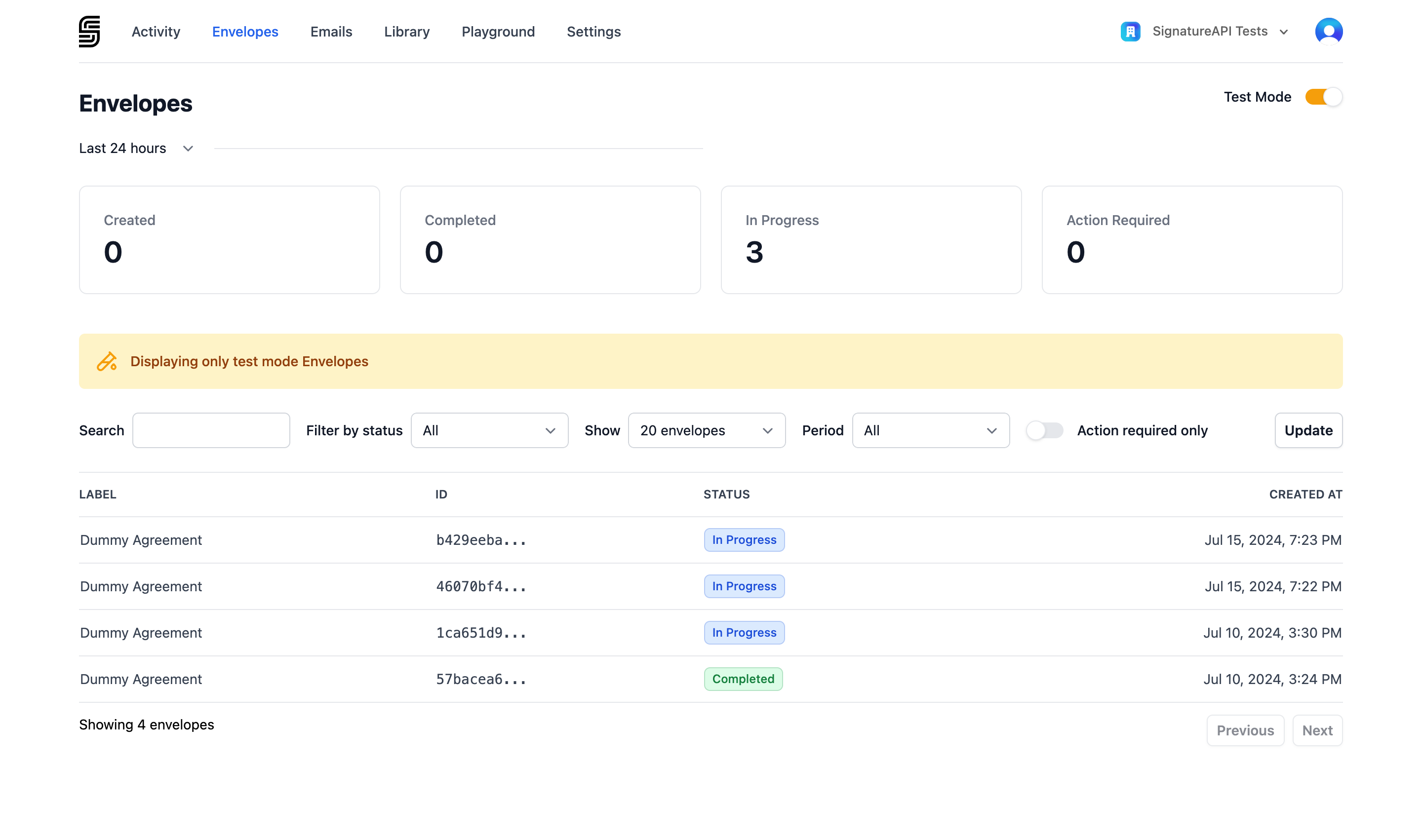
Toggle Test Mode in the top-right corner to switch between test and live envelopes.
Filtering envelopes
Use Filter by status to narrow the list to envelopes in a specific state:
| Status | Description |
|---|---|
| Processing | The envelope is being prepared. Documents are validated and recipients are queued. |
| In Progress | The envelope has been sent to recipients and is waiting for completion. |
| Completed | All recipients have completed the envelope. The signed documents are available once the deliverable finishes generating. |
| Failed | An internal error occurred during processing. |
| Canceled | The signing process was stopped before completion. |
Learn more about the envelope lifecycle.
Envelope details
Click any envelope in the list to view its full details.
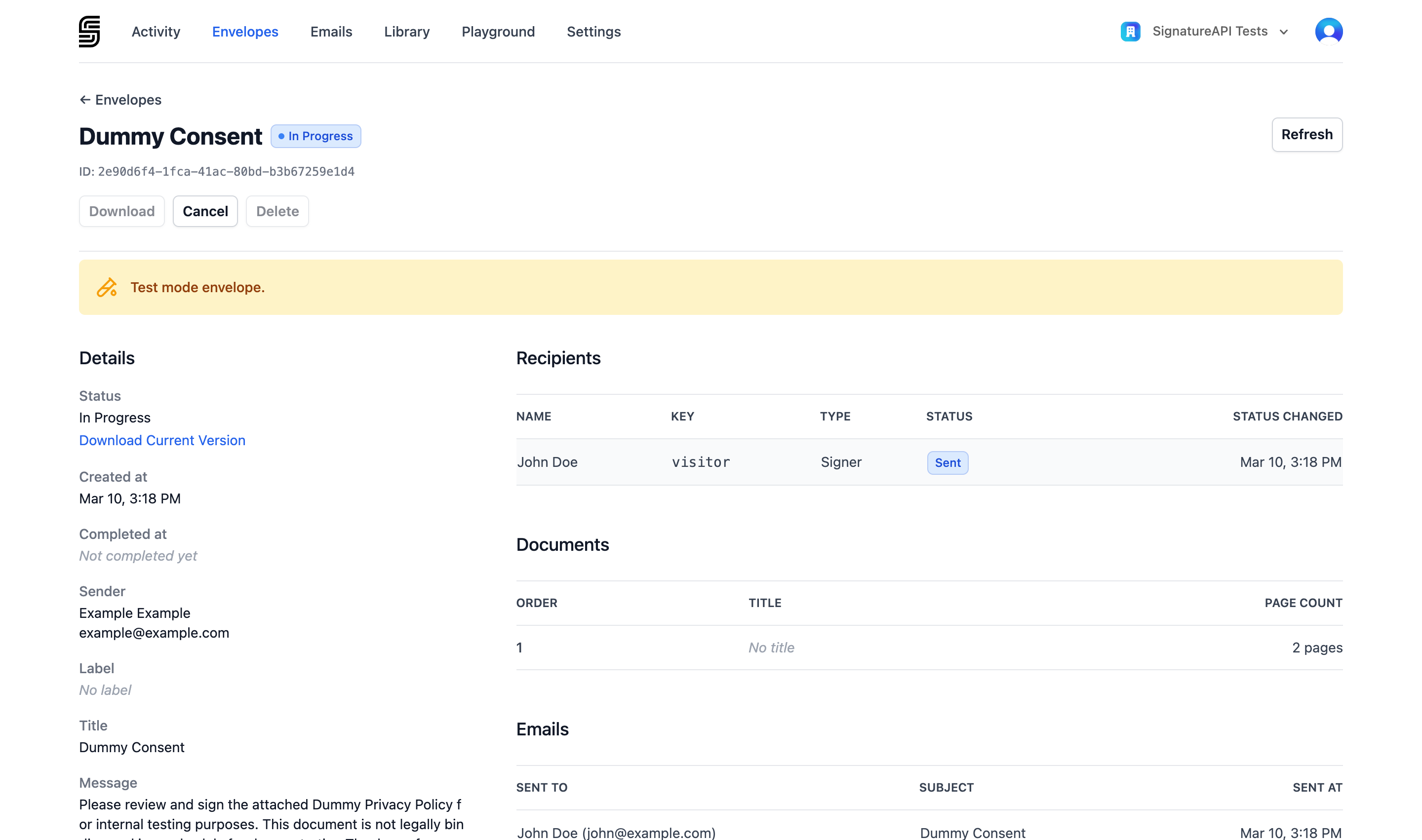
The detail page is organized into the following sections:
Details
Shows the envelope’s properties — created at, completed at, sender, label, title, message, language, time zone, and timestamp format.
On in progress envelopes, the Details section also includes the Download Current Version button, which lets you download a PDF of the current state of the envelope. This is useful for reviewing the documents and any signatures collected so far.
Recipients
Lists each recipient with their name, key, type (signer, approver, or preparer), current status, and the time their status last changed.
Documents
Lists the documents included in the envelope with their order, title, and page count.
Emails
Lists the emails sent for this envelope. Click any email to open it in the Email Inspector for full details, attachments, and delivery reports.
Envelope actions
The detail page provides action buttons depending on the envelope’s status:
- Download — download the deliverable PDF once the envelope is completed. Available on
completedenvelopes. - Cancel — permanently stop the signing process. Available on
in_progressenvelopes. This action is irreversible. See Cancel an envelope. - Delete — remove the envelope from your account. Available on
completed,failed, andcanceledenvelopes.