
Settings
Manage Team Members
Invite team members and assign roles to control access to your SignatureAPI account.
The Team page lets you invite team members to your Dashboard and control what each person can access. Every user gets their own login credentials and a role that determines their permissions.
To manage your team, go to Settings > Team in the Dashboard.
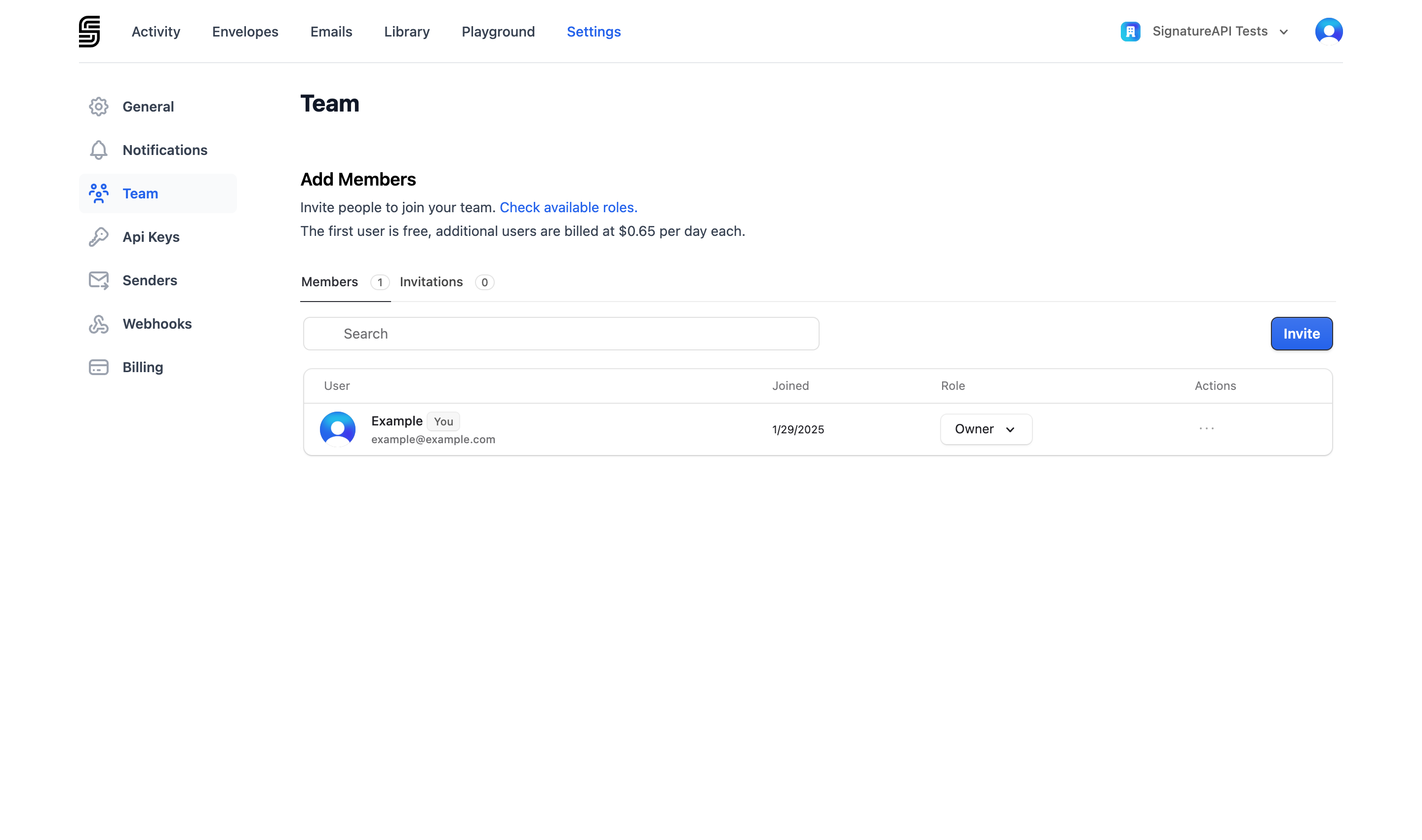
Inviting a team member
Open the Team page
Go to Settings > Team and click Invite User.
Enter details
Enter the team member's email address and select a role.
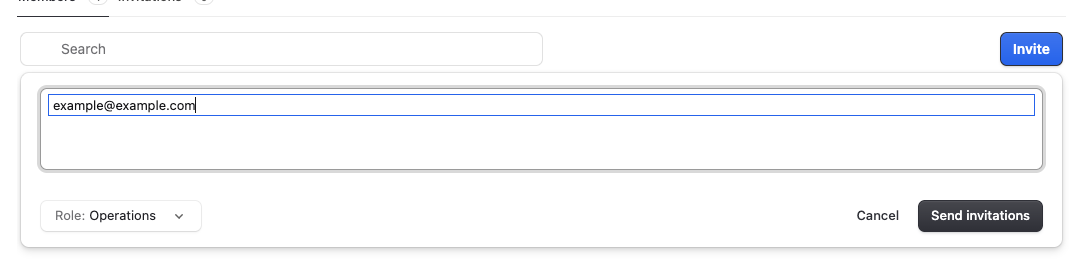
User accepts the invitation
The invited user receives an email with instructions to join your account. They do not need an existing SignatureAPI account.
User roles
Each user is assigned one role. The role controls which areas of the Dashboard and API the user can access.
Owner
Full access to everything. Every account has one owner. The owner role cannot be assigned to other users.
Development
Access to test-mode resources only. Use this role for developers building and testing integrations.
- Manage envelopes, API keys, webhooks, API senders, and the document library in test mode
Integration
Access to both test and live resources. Use this role for developers who deploy and maintain integrations in production.
- Everything in the Development role
- Manage envelopes, API keys, webhooks, and API senders in live mode
Operations
Access to live envelopes only. Use this role for team members who monitor and manage envelopes in production but don’t need developer tools.
- Manage envelopes in live mode
Billing
Access to billing settings only. Use this role for team members who handle invoices and payment methods.
- Manage billing
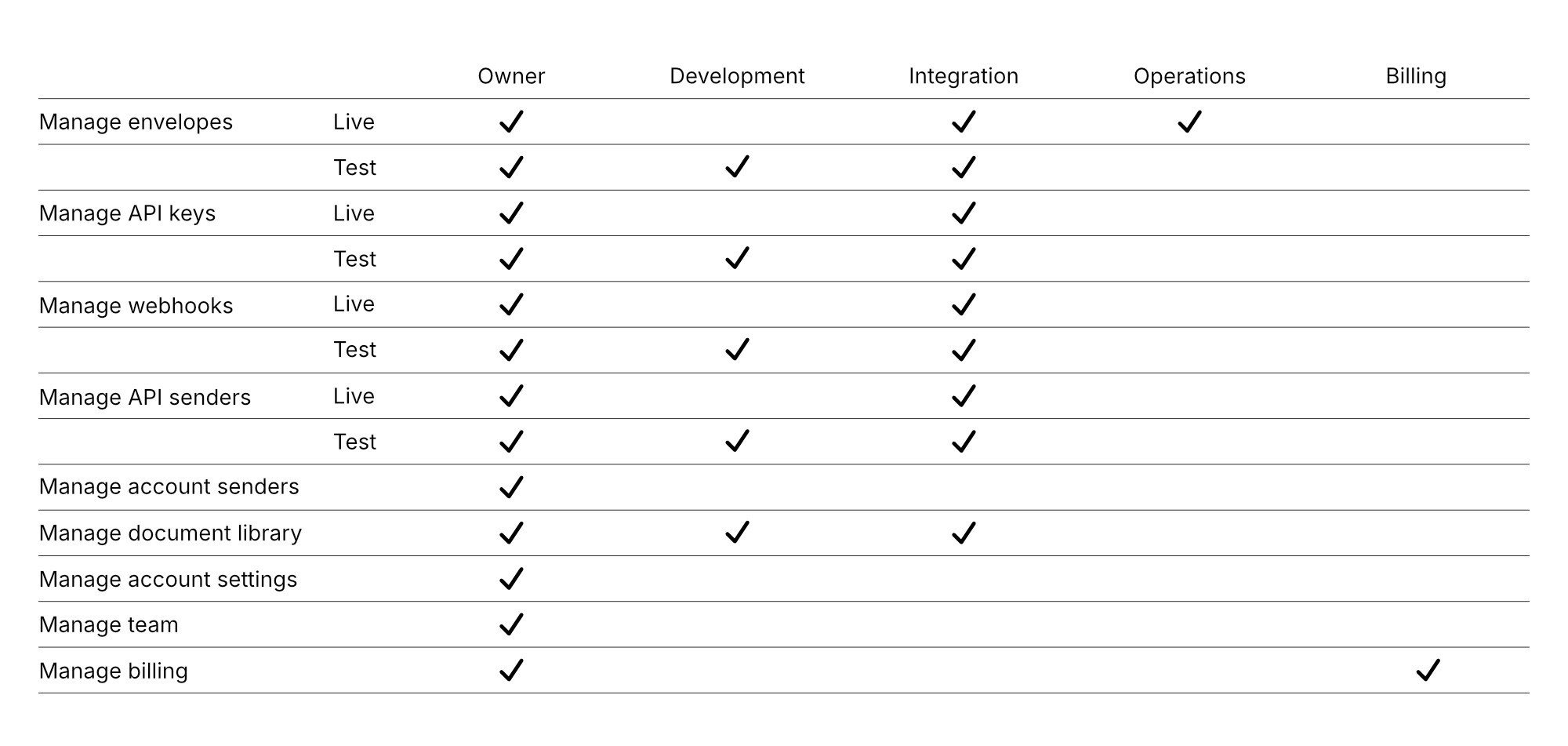
Permissions reference
For a full breakdown of permissions by role, see the matrix below.
Managing users
To change a user’s role or remove them from your account, go to Settings > Team and click on the actions of the user you want to manage.
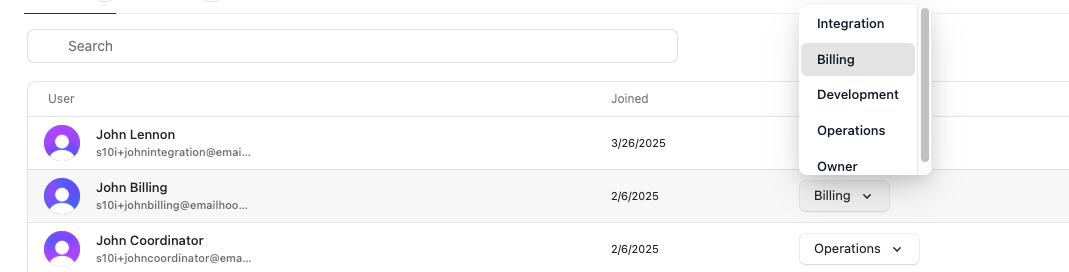
Removing a user revokes their access immediately. They can be re-invited later with the same or a different role.