Signing Workers
Connect a signing worker
Connect, replace or disconnect your signing worker for test or live mode in the Dashboard
Private beta. Qualified signatures are available on request. Request access and we enable them for your account.
You connect a signing worker in the Dashboard, once per mode. Before saving, SignatureAPI runs the connection checks, so you find problems now and not during a signer’s ceremony.
Before you start
- Qualified signatures are enabled on your account. If they aren’t, the page shows Request Access instead of the workers. See Qualified signatures.
- You can manage general settings. Only team members with that permission see Settings › Developers › Qualified Signatures.
- You have access to the mode. Without test or live mode access, that mode’s section shows a permission notice instead of the worker.
- For live mode, you have an active subscription. Without one, the live section shows Set Up Subscription instead of the worker.
- You have a worker URL, from whoever runs the worker or from the worker you built.
- The worker accepts your connection token. A connection token identifies your account in one mode, starting with
swpct_. A worker accepts only the accounts whose tokens it lists, so give yours to the worker’s owner. Test and live tokens differ.
Connect a worker
Open the dialog
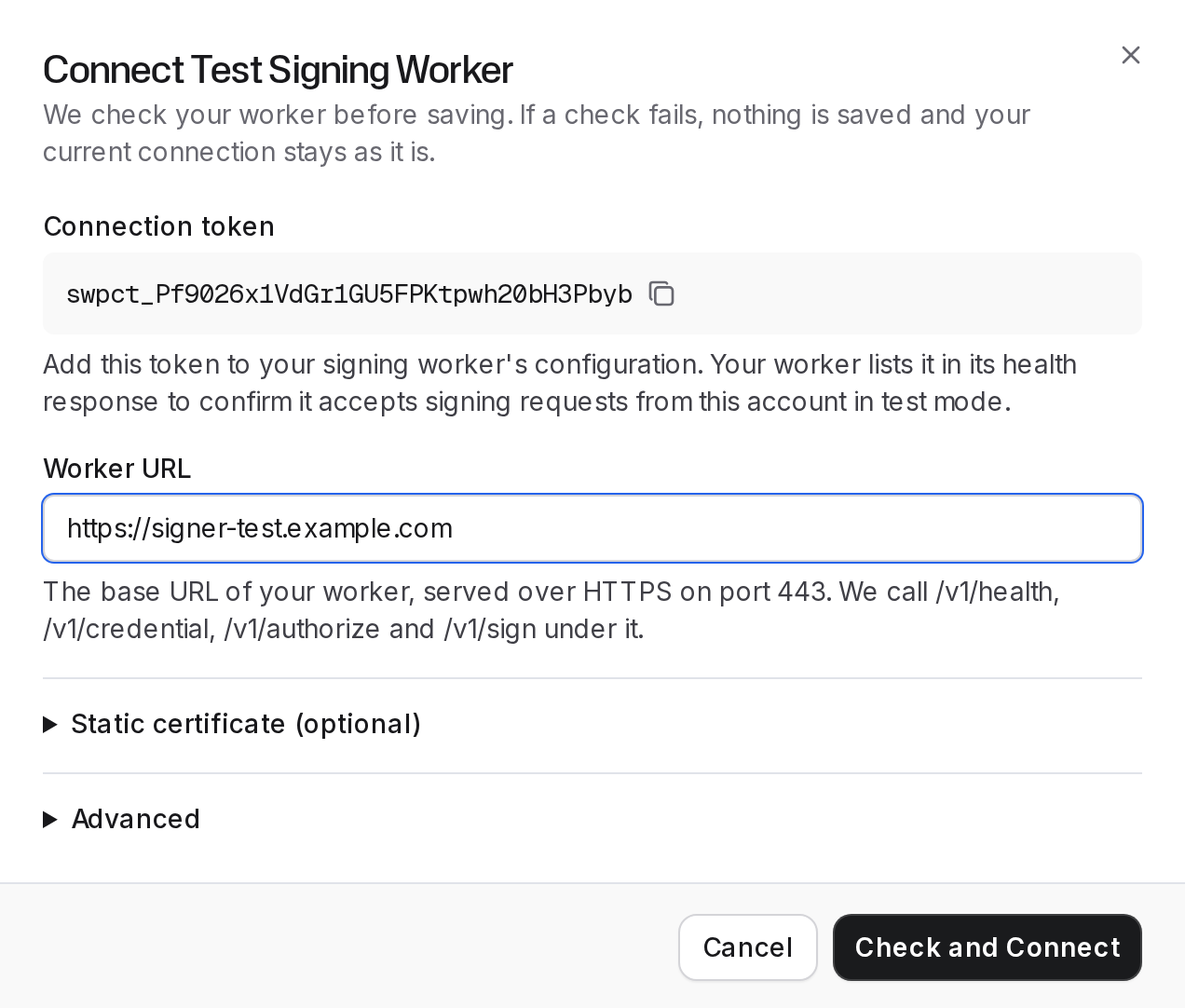
In the Dashboard, go to Settings › Developers › Qualified Signatures. Select Connect Test Worker or Connect Live Worker.
Copy your connection token
The dialog shows your Connection token for that mode, with a copy button. The worker's owner must add it to the worker's configuration, or the Connection token check fails.
Enter the worker URL
Under Worker URL, enter the worker's base URL, for example https://signer.example.com. SignatureAPI removes any trailing slash and uses the result as the audience (aud) of every request token, so the worker must expect exactly that string.
Add a static certificate (optional)
If the worker doesn't return the signer's certificate from /v1/credential, open Static certificate (optional) and fill in both fields:
- Certificate chain (PEM). The signer certificate first, then its issuers.
- Key algorithm OIDs. Comma-separated, for example
1.2.840.10045.4.3.2. See supported algorithms.
With a static certificate, signing sessions never call /v1/credential. The connection checks still do.
Set the authorization timeout (optional)
Under Advanced, Authorization timeout (ms) is how long a signer has to identify or approve at the provider. Enter a whole number between 10,000 and 3,600,000. The default is 300,000 (5 minutes).
Check and connect
Select Check and Connect. If every check passes, the Dashboard shows "Test signing worker connected." or "Live signing worker connected.", and the worker signs that mode's envelopes from now on.
If a check fails, the dialog says "Nothing was saved. Fix the failing check and try again." See Connection checks for each fix.
Manage a connected worker
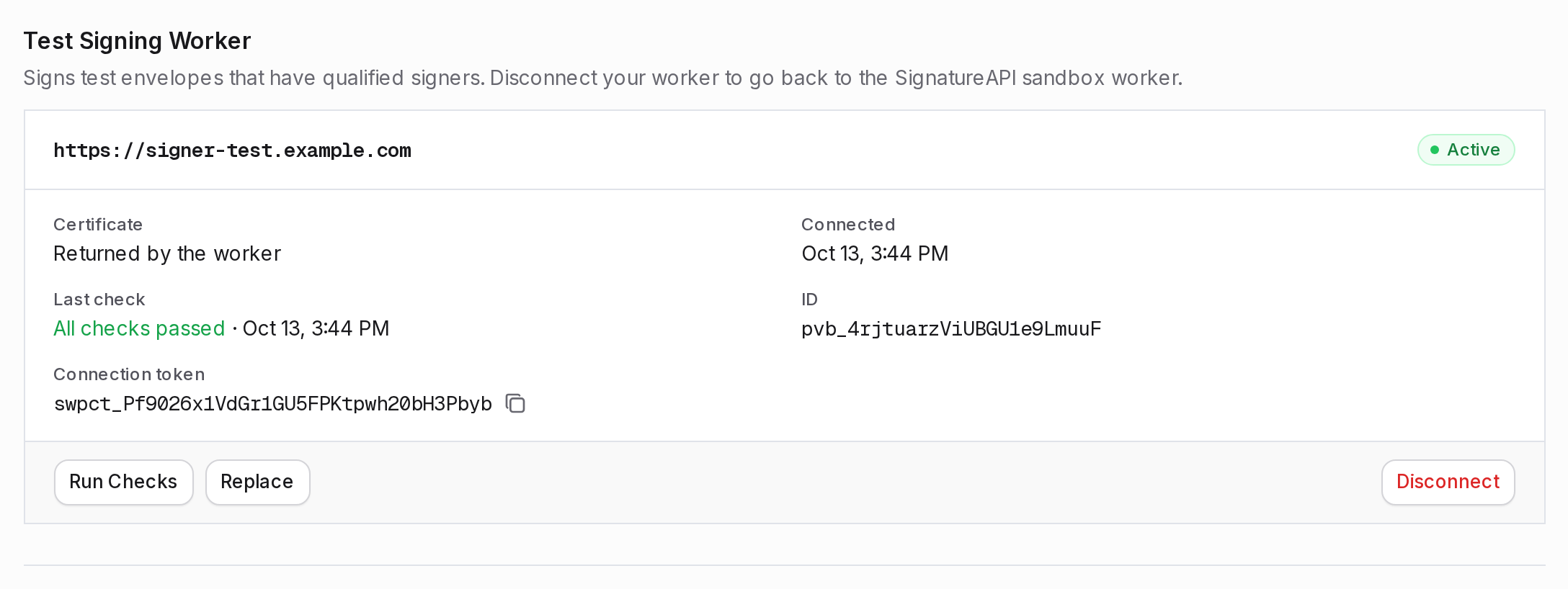
Each connected worker shows its URL, status, Certificate, Connected, Last check, ID and the mode’s connection token. In test mode without your own worker, the page shows the SignatureAPI sandbox worker instead.
Run Checks
Run Checks runs the connection checks again on the saved settings and records the result under Last check. A failed run doesn’t disconnect the worker.
Replace
Replace opens the dialog again. Enter the new settings and select Check and Connect. On success, the Dashboard shows “Test signing worker replaced.” or “Live signing worker replaced.” If a check fails, nothing is saved and the current worker stays connected. To switch a live worker without a gap, replace it instead of disconnecting it.
Disconnect
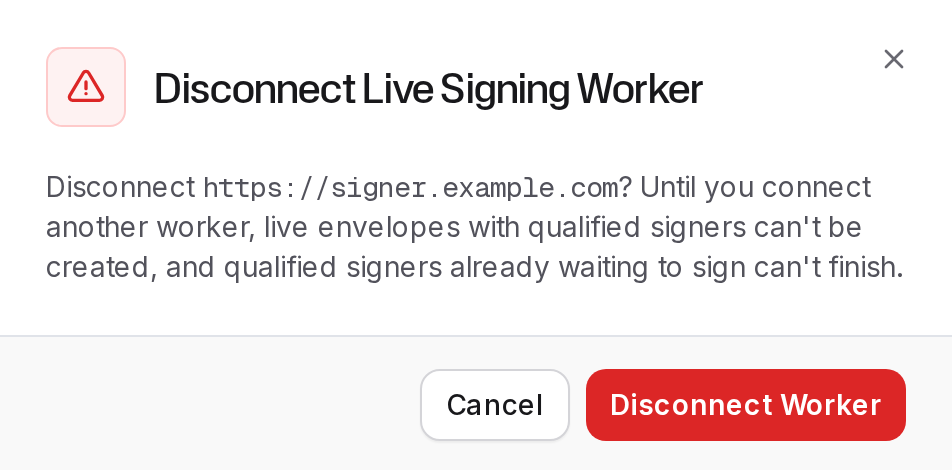
Disconnect removes the worker for that mode, after you confirm.
- Test. “Test envelopes with qualified signers go back to the SignatureAPI sandbox worker.”
- Live. “Until you connect another worker, live envelopes with qualified signers can’t be created, and qualified signers already waiting to sign can’t finish.”
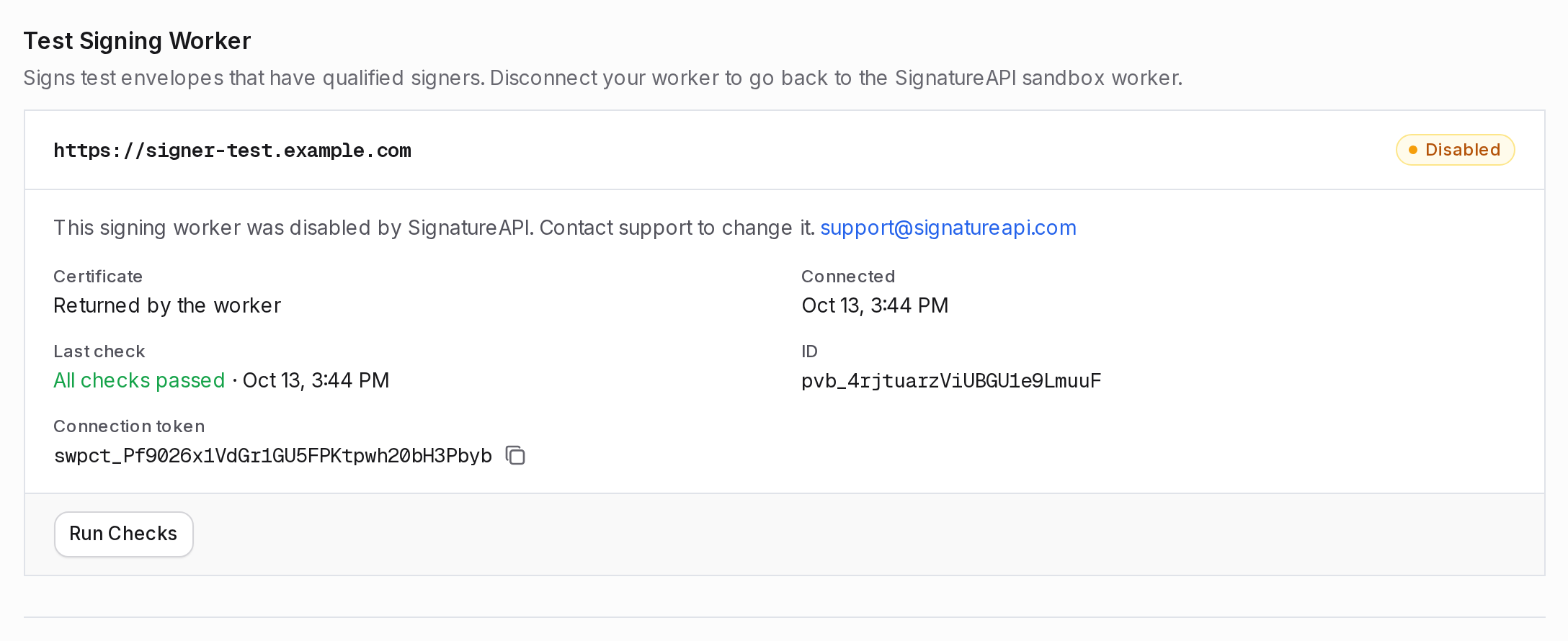
A disabled worker
If SignatureAPI disables a worker, its status shows Disabled, with the note “This signing worker was disabled by SignatureAPI. Contact support to change it.” Only Run Checks still works. A disabled test worker doesn’t fall back to the sandbox worker. Contact support to change it.