
Use Cases
Agentic Ceremonies
Showcase of AI agents driving SignatureAPI signing ceremonies end-to-end, in parallel.
A signing ceremony is the recipient-facing flow that captures consent, signatures, initials, and any other input required to complete an envelope. Most ceremonies are completed by humans, but they don’t have to be. Anything a human can do in the browser, an agent with computer-use can do too.
This page shows what that looks like in practice: a single prompt that picks up pending signing requests from an inbox, fans out one agent per envelope, and drives each ceremony to completion in parallel.
Agentic signing is appropriate for contracts that have already been reviewed and approved through your own internal process. The ceremony itself is the act of signing, not the act of deciding to sign.
Demo
In the video below, Claude reads a Gmail inbox, finds pending SignatureAPI signing requests, spawns one subagent per request, and watches them complete every ceremony at the same time.
How it works
The flow has three stages: discover the work, fan out, and report back.
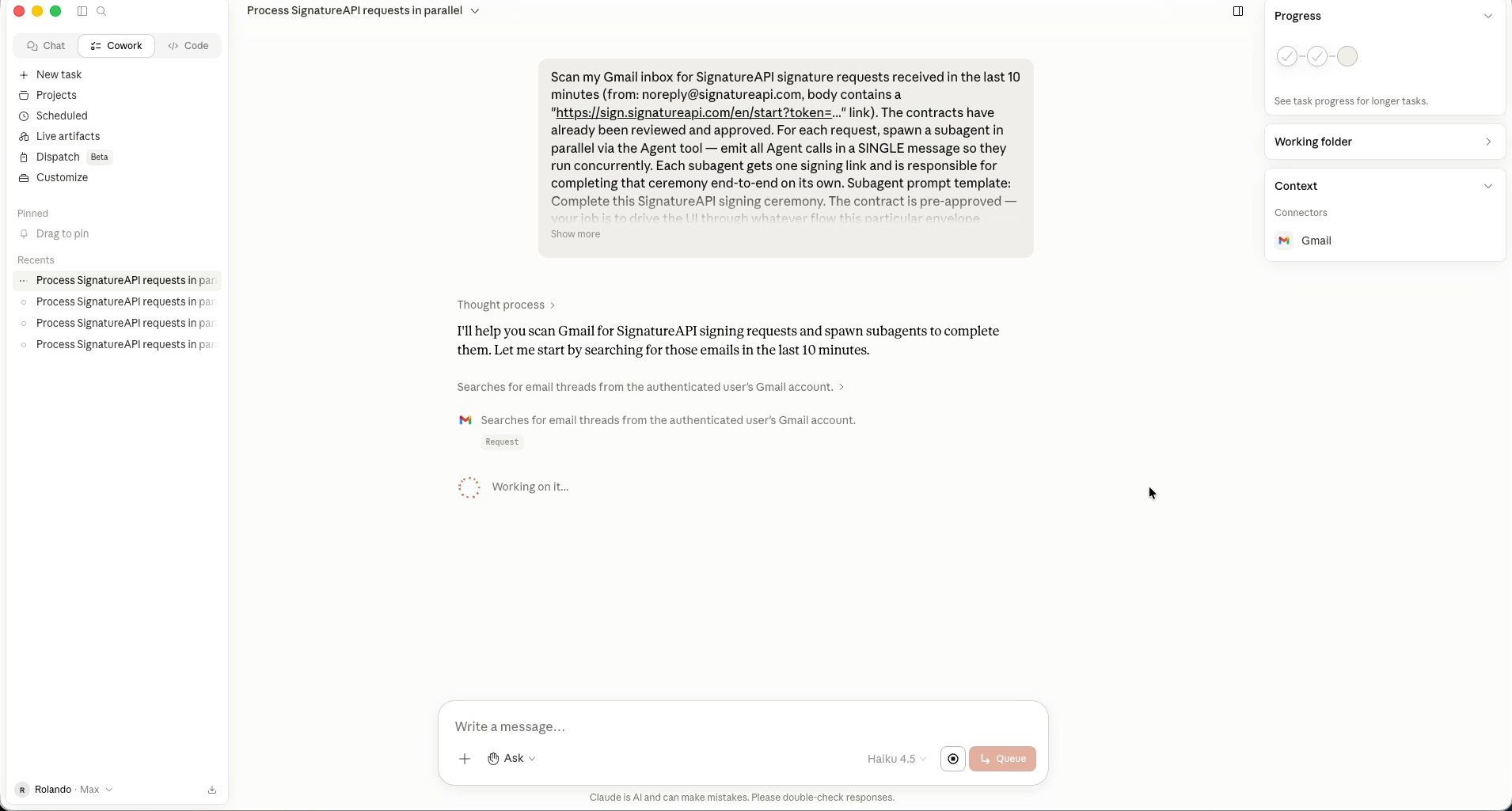
Discover pending signing requests
The top-level agent scans the inbox for SignatureAPI signing request emails received in a recent window. Each email contains a unique signing link of the form https://sign.signatureapi.com/en/start?token=..., which is everything a recipient (or an agent) needs to enter the ceremony.
Fan out one agent per envelope
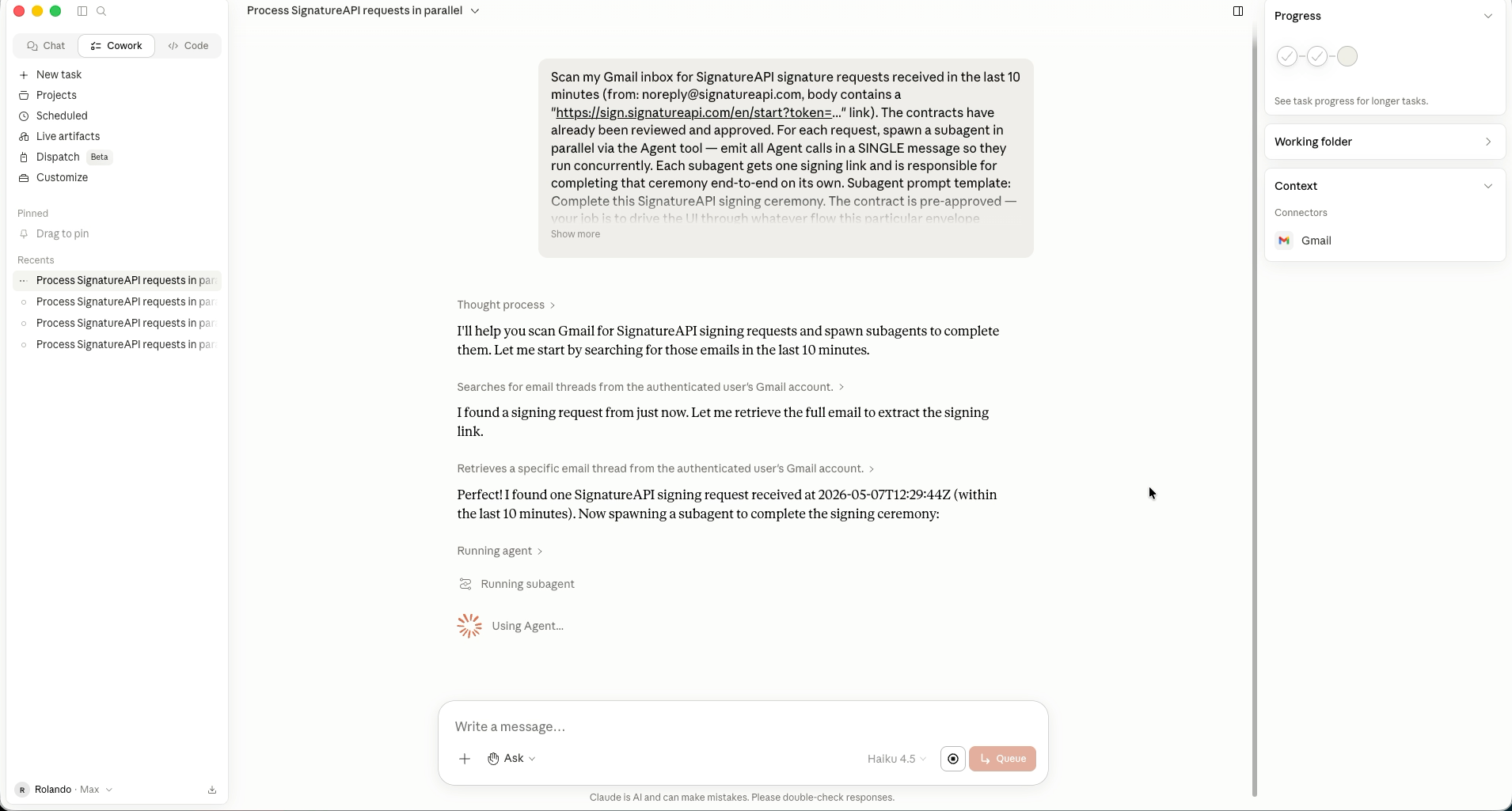
The top-level agent emits all subagent calls in a single message so they run concurrently. Each subagent receives one signing link and is responsible for that ceremony alone. Running in parallel means ten envelopes finish in roughly the time of one.
Drive the ceremony
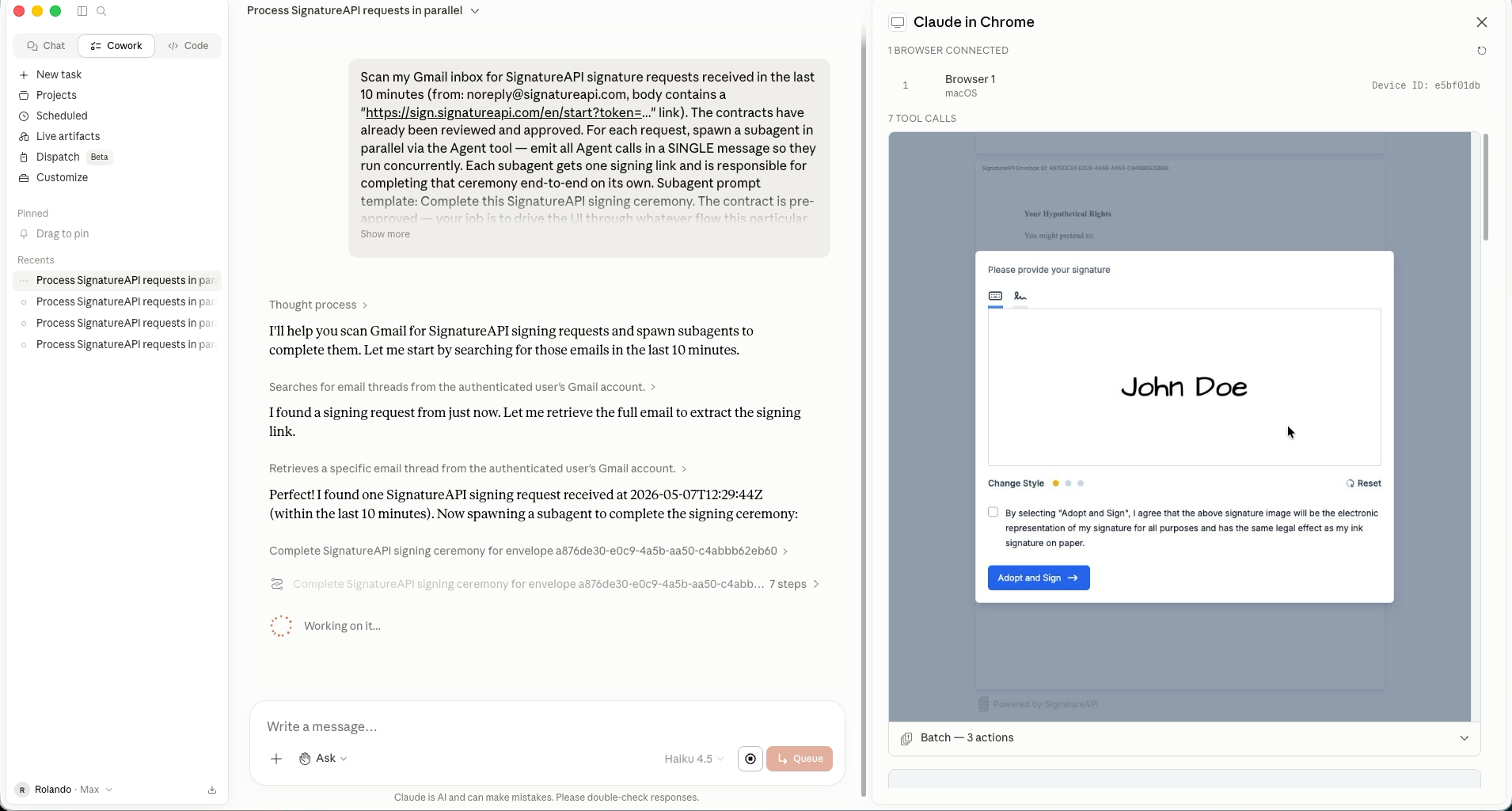
Each subagent opens its link in a new tab and walks through whatever the envelope presents: consent screens, signature placement, initials, date fields, and the final confirmation. Auto-filled values are accepted unless they look wrong. Anything ambiguous (extra fields, unexpected challenges, a decline prompt) is escalated back to the top-level agent instead of guessed.
Report results
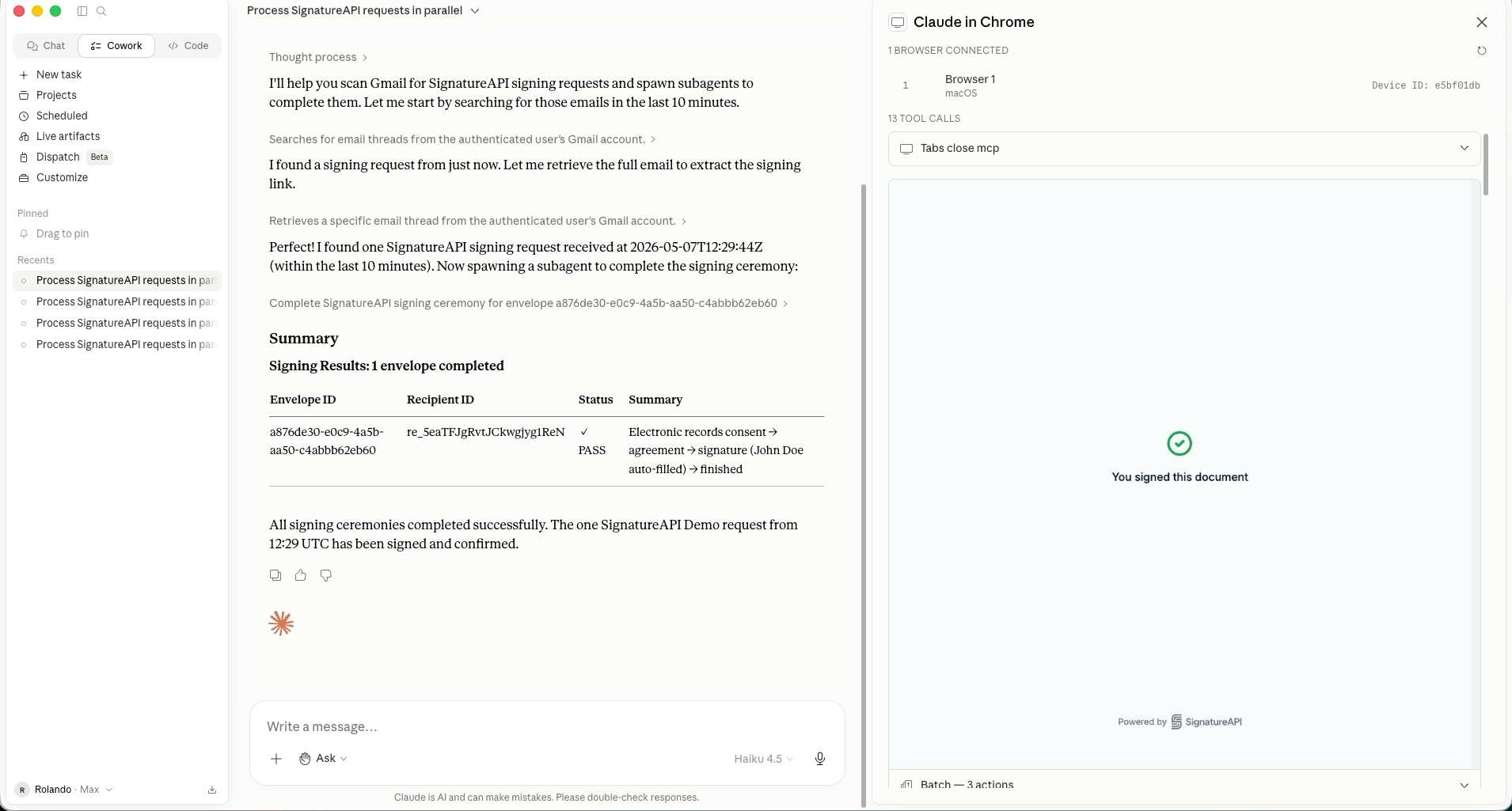
When every subagent returns, the top-level agent summarizes the run: which envelopes were signed, which ones bailed out, and why. The result is an inbox of signing requests cleared in a single turn.
Sample prompt
The prompt below is one example: it scans a Gmail inbox for SignatureAPI signing requests received in the last 10 minutes, and assumes the contracts have already been reviewed and approved out-of-band. Use it as a starting point and adapt it to your own setup. The source of work doesn’t have to be Gmail (it could be any inbox, ticket queue, or shared drive), the time window is arbitrary, and the discovery rules can match whatever signal identifies a pending signing request in your environment.
Paste it into a Claude session with the relevant tools available (in this case Gmail and computer-use).
Scan my Gmail inbox for SignatureAPI signature requests received in
the last 10 minutes (from: noreply@signatureapi.com, body contains a
"https://sign.signatureapi.com/en/start?token=..." link). The
contracts have already been reviewed and approved.

For each request, spawn a subagent in parallel via the Agent tool.
Emit all Agent calls in a SINGLE message so they run concurrently.
Each subagent gets one signing link and is responsible for completing
that ceremony end-to-end on its own.

Subagent prompt template:

  Complete this SignatureAPI signing ceremony. The contract is
  pre-approved. Your job is to drive the UI through whatever flow
  this particular envelope presents (consent, signature placement,
  initials, date fields, finish, etc.) until the page confirms the
  document has been signed.

  Signing link: <URL>
  Envelope ID: <ID>

  Open the link in a new tab, then proceed through the ceremony.
  Accept any auto-filled values (signature, name, date) unless they
  look wrong. Use browser_batch to keep things fast. If you hit
  anything ambiguous (extra fields, unexpected challenges, a decline
  prompt) stop and report back instead of guessing. When done, close
  the tab and report: envelope ID, recipient ID (from the URL or
  page), and pass/fail with a one-line summary of what you clicked
  through.

After all subagents return, summarize the results to me.
You don’t have to send this as a one-off chat message. The same text works as a system prompt, an agent skill, a saved command, a tool definition, or anything else your runtime supports. Wherever you put it, the behavior is the same: discover pending requests, fan out per envelope, drive each ceremony to completion, and report.
What this is, and isn’t
An agentic ceremony is a regular preparer, signer, or approver ceremony that is driven by an agent instead of a person. Nothing about the envelope, the ceremony, or the audit trail changes: the recipient is still a recipient, the ceremony is still a ceremony, and the actions taken inside it are still attributed to that recipient. The only difference is who (or what) is moving the cursor.
This pattern is useful when the recipient has already decided to act and the remaining work is mechanical: opening tabs, clicking through screens, accepting auto-filled values. It is not a replacement for the review and approval that happens before that point, unless you trust your agent’s review and analysis and you understand the consequences of letting it act on your behalf.
If you’re integrating SignatureAPI and you have prior authorization to sign on someone’s behalf without a live ceremony at all, that is a different primitive: use an automatic signer. The signature is applied by the system at envelope creation and no ceremony is generated for that recipient.