
MCP Server
Managing Connections
Review and revoke the MCP clients connected to a SignatureAPI account.
Every MCP client that authorizes against an account through OAuth becomes a connected application. The dashboard exposes the full list and lets administrators rename or disconnect any of them.
Where to find it
Open the dashboard, go to Settings → Applications. The page lists every MCP client that has authorized the active account.
For each connection you see:
- Name — defaults to the OAuth client name. Editable, so you can label connections by team, project, or person.
- Client id — the OAuth
client_id. Stable for the lifetime of the connection. - Last seen — when the client last made a request. Useful for spotting stale connections.
Renaming a connection
Click the connection name and enter a new label. Names are trimmed and capped at 100 characters; they are visible to anyone with access to the settings page.
Renaming does not affect the underlying OAuth client or the access token. It is purely a label.
Disconnecting a connection
Click Disconnect. After confirming, the connection is marked as revoked and the OAuth client is deleted on a best-effort basis.
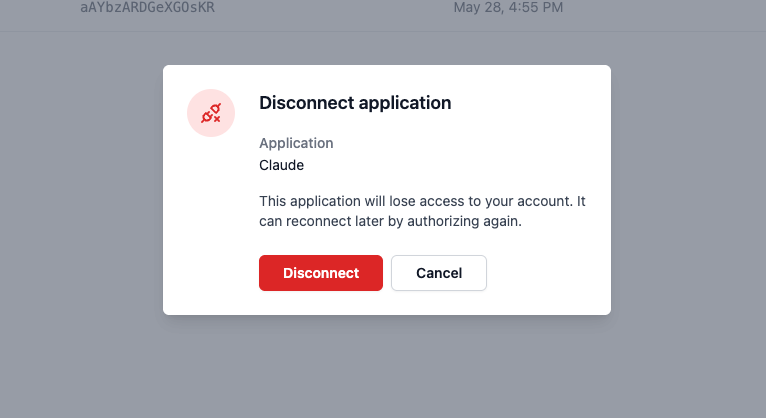
The next request from that client returns 401 Application has been disconnected. To regain access, the end user must reconnect from their client, which triggers a fresh OAuth flow and produces a new connection record.
Why revocation is enforced server-side
Deleting the OAuth client at the authorization server is not enough to revoke an already-issued JWT-format access token. Those tokens remain cryptographically valid until they expire, regardless of whether their parent OAuth application still exists.
To close that gap, SignatureAPI tracks each connection in its own database and checks the revoked_at flag on every MCP request. The moment you disconnect, the next request fails, even if the original token has hours of life left.
What happens on first contact
A connection record is created the first time a client makes a successful MCP request. The server resolves the OAuth client’s display name from the authorization server and stores it alongside client_id, the user who authorized, and a timestamp.
Subsequent requests reuse the existing record and update last_seen_at (throttled to one write every five minutes per connection to keep traffic light).
Required permissions
Listing, renaming, and disconnecting applications requires the Manage general settings permission on the account. Members without that permission can still use connected agents but cannot administer the list.
Audit considerations
- Disconnecting a connection takes effect on the next request, not retroactively. Actions an agent already completed are not undone.
- If you need to undo an action, use the corresponding API or dashboard operation (for example, Cancel envelope) before disconnecting, so the audit log captures the intent clearly.
- Reconnecting after a disconnect creates a new connection row with a new
client_id. The old record stays in the list with its revoked state.