
MCP Server
Authorization
How the SignatureAPI MCP server authenticates requests with OAuth 2.1.
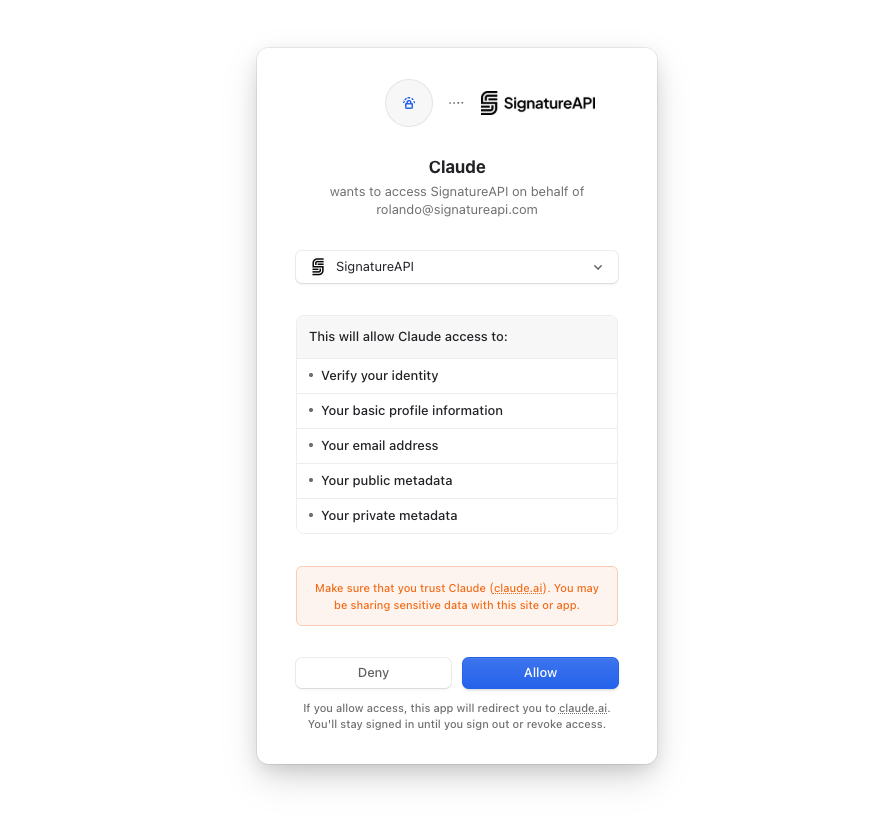
The MCP server authenticates every request with an OAuth 2.1 access token issued through Dynamic Client Registration. Interactive MCP clients (Claude, ChatGPT, Cursor, etc.) run the flow automatically the first time you connect; after that, the client refreshes tokens on its own.
Discovery endpoints
Standards-compliant MCP clients only need the server URL. They reach the rest through the discovery documents:
| Endpoint | Purpose |
|---|---|
https://mcp.signatureapi.com/.well-known/oauth-protected-resource/mcp | Identifies the resource and lists the authorization servers that can issue tokens for it. |
https://mcp.signatureapi.com/.well-known/oauth-authorization-server | Authorization server metadata: issuer, endpoints, supported grant types, scopes. |
Both documents follow RFC 8414 and RFC 9728.
The authorization flow
sequenceDiagram
    participant User
    participant Client as MCP client
    participant MCP as mcp.signatureapi.com
    participant Auth as Authorization server

    Client->>MCP: GET /.well-known/oauth-protected-resource/mcp
    MCP-->>Client: { authorization_servers: [...] }
    Client->>Auth: GET /.well-known/oauth-authorization-server
    Auth-->>Client: { registration_endpoint, authorization_endpoint, ... }
    Client->>Auth: POST register (Dynamic Client Registration)
    Auth-->>Client: client_id (and client_secret if confidential)
    Client->>User: Open authorization URL in browser
    User->>Auth: Sign in and approve
    Auth-->>Client: Redirect with authorization code
    Client->>Auth: POST token (code + PKCE verifier)
    Auth-->>Client: access_token, refresh_token
    Client->>MCP: POST /mcp with Bearer access_token
    MCP-->>Client: Tool response
PKCE is required. Access tokens are short-lived; refresh tokens are issued and rotated by the authorization server.
Token contents
Tokens issued for the MCP server carry:
sub— the SignatureAPI user id.org_id— the organization (account) the user authorized. The server resolves the account from this claim, so a user in multiple organizations must consent to one at a time.client_id— the OAuth client. This is what appears in the dashboard’s Connected Applications list.
The server verifies tokens on every request and re-checks the connection’s revoked state, so a token that is still cryptographically valid can be blocked the moment its connection is disconnected.
Patterns
Personal use (an end user connecting their own agent)
This is the default and what every supported MCP client implements. The user runs a client (Claude, ChatGPT, Cursor, etc.), the client performs Dynamic Client Registration, and the user signs in once. Nothing else to configure.
Service provider running an agent on behalf of users
The hosted MCP server is for end users connecting their own agent to their own SignatureAPI account. It is not suited for multi-tenant products.
If you are building a product that serves many customers, build your own MCP tools on top of the SignatureAPI REST API. Your backend holds your SignatureAPI key, and your tools enforce which tenant can see what.
Errors
| Status | Meaning |
|---|---|
401 Missing bearer token | No Authorization: Bearer … header. |
401 Invalid token | Token signature, issuer, or audience failed validation. |
401 Token is revoked or expired | Token is no longer accepted by the authorization server. |
401 User has no organization | Token has no org_id claim and the user has no resolvable organization. |
401 Account not found | The organization on the token is not linked to a SignatureAPI account. |
401 Account is inactive | Account is suspended or blocked. Contact support. |
401 Application has been disconnected | The connection was revoked from Connected Applications. The end user must re-authorize. |
Responses include a WWW-Authenticate header pointing back to the discovery endpoint, so clients can recover automatically.