Most SignatureAPI customers use us through an API integration. A team builds the integration, ships it, and after that it runs on its own. Envelopes get created from a backend job or a signup flow, signers get their emails, and deliverables come back. Once that works, most teams rarely open the dashboard again.
Billing does not follow the same path. Invoices and payment notices go to the email address on the account, which is often a founder’s inbox or a shared finance address. The engineers who own the integration may never see them. We also have no way of knowing whether a billing email was read, only that it was sent.
When we started looking at this, we found accounts whose payments had failed months earlier and that were still sending documents. In October 2026 we shipped a new process for unpaid accounts. This post explains how it works and why we built it the way we did.
Cancelling when retries run out
The common approach in SaaS is to retry the card a few times and cancel the subscription when the retries are exhausted. It is simple to build and simple to explain, and for a product that people log into every day it mostly works, because the people affected notice the problem right away and fix it.
For us it would have meant turning off production integrations for customers who may never have seen a single warning. The first sign of trouble would be live API calls failing in someone’s application, discovered by an engineer who had no idea there was an invoice, and possibly by that application’s own users before them. Running out of retries tells us that a payment failed. It does not tell us that anyone on the customer’s side knows.
Moving unpaid accounts back to the trial
The second design we worked through was to move unpaid accounts back to the free trial plan and put a reactivate button in the dashboard. A trial account has no live access until it subscribes, so it looked like we could reuse a state the product already had.
It fell apart once we followed it through the rest of the product. A trial account and an unpaid account look alike from the outside, but the product treats them as different things. A trial account belongs to a new customer who has not paid yet. An unpaid account belongs to an existing customer with an open invoice. Signup, checkout and activation are all built around the first case. Each of them would have needed an exception to recognize that this particular “trial” account already had a subscription, a payment history and money owed. Those exceptions would have lived in flows that have nothing to do with collections, and every later change to onboarding would have had to account for them, so we gave unpaid accounts a state of their own.
What we shipped
The design that shipped has four stages. There is a grace period, then a pause that affects live mode only, then a one-time resume the customer can trigger themselves, and only after all of that a cancellation. Paying the invoice at any stage restores live access immediately, with no separate reactivation step.
The grace period
When a payment fails, nothing about the account changes for 21 days. Live mode, test mode and the dashboard keep working as before. During that time we send a series of emails to the address on the account.
| When | What happens |
|---|---|
| Day 0 | Payment fails. First notice is sent. |
| Every week | A reminder is sent. |
| 7 days before the pause date | Final reminder. |
| 1 day before the pause date | Final reminder. |
| Day 21 | Live access pauses. One more email is sent. |
| Any time | Paying the invoice restores live access right away. |
| After the pause | “Resume for 5 days” is available once per unpaid period. |
| About a week after the pause | The account is cancelled, unless a resume is running. |
The first notice is headed “Your payment didn’t go through”. Every email in the series states the amount due, the date live access will pause, and what keeps working when it does. We assumed that whoever reads one of these may not have read the others, so each one has to describe the account’s situation on its own.
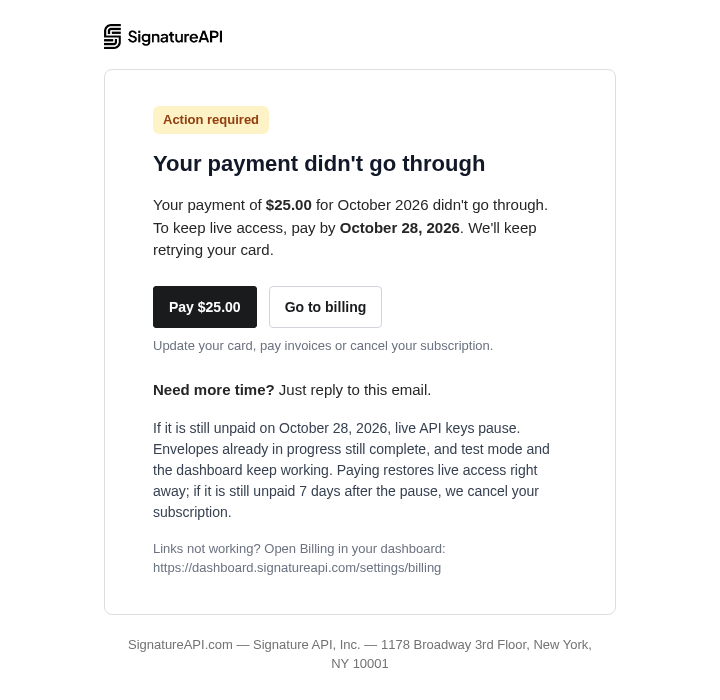
The final reminders put the date in the subject line, for example “Live access pauses on October 28, 2026”. Someone scanning a crowded inbox should be able to see the date without opening the message.
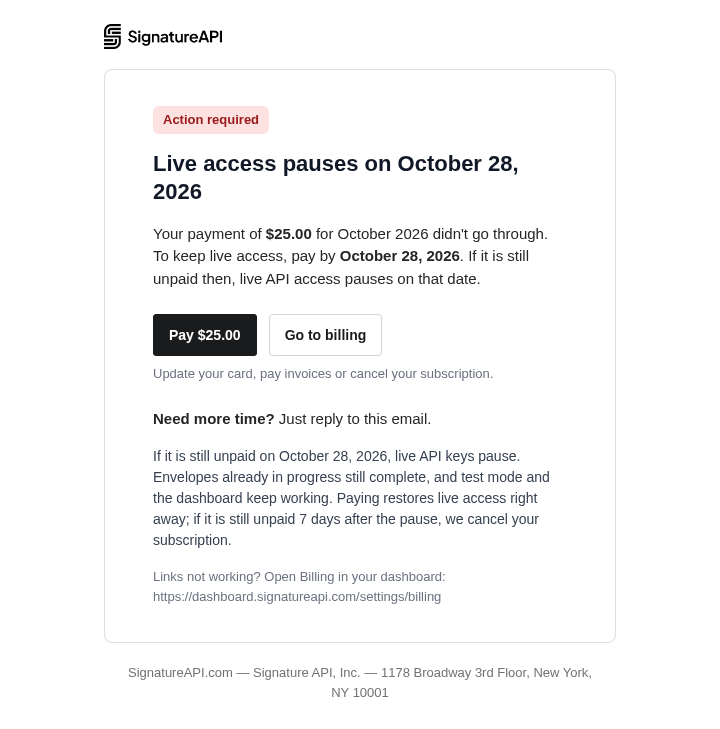
Customers can reply to any of these emails to ask for more time.
The pause
On day 21, live mode pauses. We kept the scope of this narrow on purpose, since the point of the pause is to get someone’s attention without taking down anything that is already in motion.
Requests made with live API keys return an error saying that live access is paused because of an unpaid invoice. The error links to /docs/v1/errors/live-mode-paused. We wrote it for an engineer who has never heard of the invoice, since that is the person most likely to see it first, in a log or an alert, and it has to make sense to them without any of the emails.
Test mode keeps working, and so does the dashboard. A team can keep developing and testing their integration while the invoice gets sorted out. Envelopes that were already in progress when the pause started still complete, and a signer who is in the middle of signing a document is not affected.
Everyone on the account sees a “Live access paused” banner in the dashboard, with three actions: Pay now, Resume for 5 days, and Go to billing.

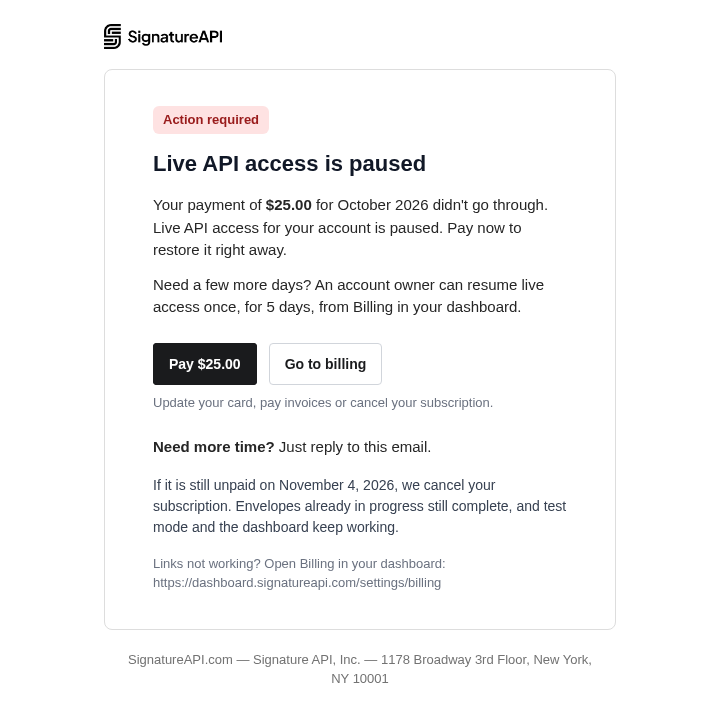
The address on the account also gets one more email when the pause takes effect.
Resuming for five days
The resume exists for a specific case. The person who sees the pause first is often not the person who can pay, and the person who can pay may need a few days to do it. Without the resume, a team in that position would be stuck with production down until finance acted, or until they reached us.
Clicking “Resume for 5 days” restores live access for five days. It is available once per unpaid period, so it buys time to pay but cannot be used to postpone payment indefinitely. Only users with billing permission see the button. Other members of the account see the same banner, with a note asking them to contact the account owner. While the resume is running, the banner shows how much time is left, for example “Live access resumed: 4 days left”.

Cancellation
About a week after the pause, if the invoice is still open, the account is cancelled. We never cancel while a resume is running. A cancelled account goes back to the free trial plan. Its live keys stop working, and it can subscribe again whenever it wants.
This is the one point where an unpaid account ends up on the trial plan. We were comfortable with it here and not earlier because cancellation is the end of the unpaid period rather than a stage inside it. After cancellation the account has no subscription, and coming back means subscribing again.
What we don’t know yet
The first accounts reach their pause date at the end of October, so the parts of this process after day 21 have not run for real customers yet. In particular, we don’t know how many accounts will use the resume, or whether five days is the right length. We will look at how the first accounts move through the stages, and at the replies people send asking for more time, before changing any of it.
If your integration starts getting the live-mode-paused error, the error reference has the steps to restore access.