
Ceremony Customization
Customize embedded signing appearance and behavior with URL query parameters
In addition to the customization options available when you create a ceremony, you can further customize the appearance and behavior of an embedded ceremony.
To do this, pass customization options as query parameters in the ceremony URL.
Appearance
Accent Color
You can set the accent color of the ceremony using the accent_color query parameter. The accent color appears in interface elements such as buttons and signature places. Make sure the color you choose is visible against a white document background.
The value must be a valid hexadecimal color code, without the # prefix. The default accent color is a shade of blue.
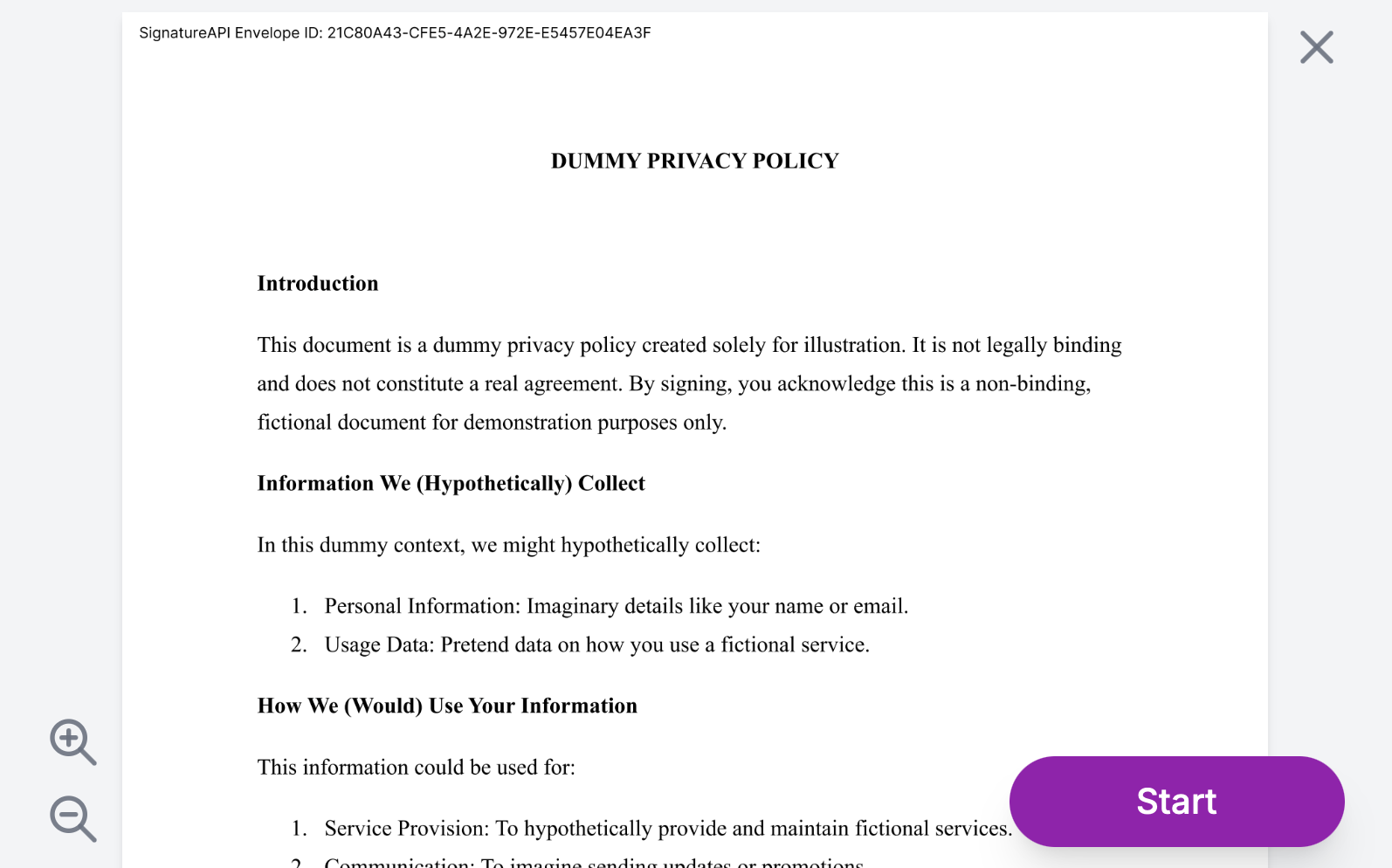
For example, to set the accent color to purple:
https://sign.signatureapi.com/en/start?token=eyJhbGci…iDsInR&accent_color=8e24aa
The ceremony will look like this:
Behavior
Disable Cancel
As a default, the ceremony allows the recipient to cancel the ceremony. You can disable this by setting the allow_cancel query parameter to false. You can do this to handle the cancellation in your application.
https://sign.signatureapi.com/en/start?token=eyJhbGci…iDsInR&allow_cancel=false
Event Delivery
The ceremony can send events to your application. You can configure the event delivery method by setting the event_delivery query parameter to either redirect or message.
Javascript Messages
When you set event_delivery=message, the ceremony will send events to your application as a Javascript Message with a payload. This is useful when embedding in a web app using <iframe>.
https://sign.signatureapi.com/en/start?token=eyJhbGci…iDsInR&event_delivery=message
Redirects
When you set event_delivery=redirect, the ceremony will redirect to a URL with a query parameter that contains the event. This is useful when embedding in a desktop or mobile app using WebView or similar.
https://sign.signatureapi.com/en/start?token=eyJhbGci…iDsInR&event_delivery=redirect
Learn more about delivering events to your application in Ceremony Events.