---
title: "Embed Signing in a Mobile App"
description: "Embed the signing ceremony in your iOS, Android or React Native app with a WebView, pick an event delivery method, and confirm the outcome on your server."
canonical: "https://signatureapi.com/docs/api/guides/how-to/embed-mobile"
source: "https://signatureapi.com/docs/api/guides/how-to/embed-mobile.md"
last_verified_api_version: "1.18.1"
last_modified: "2026-11-18T11:49:54Z"
---

# Embed Signing in a Mobile App

Embed the signing ceremony in your iOS, Android or React Native app with a WebView, pick an event delivery method, and confirm the outcome on your server.

_Last verified against API version 1.18.1._
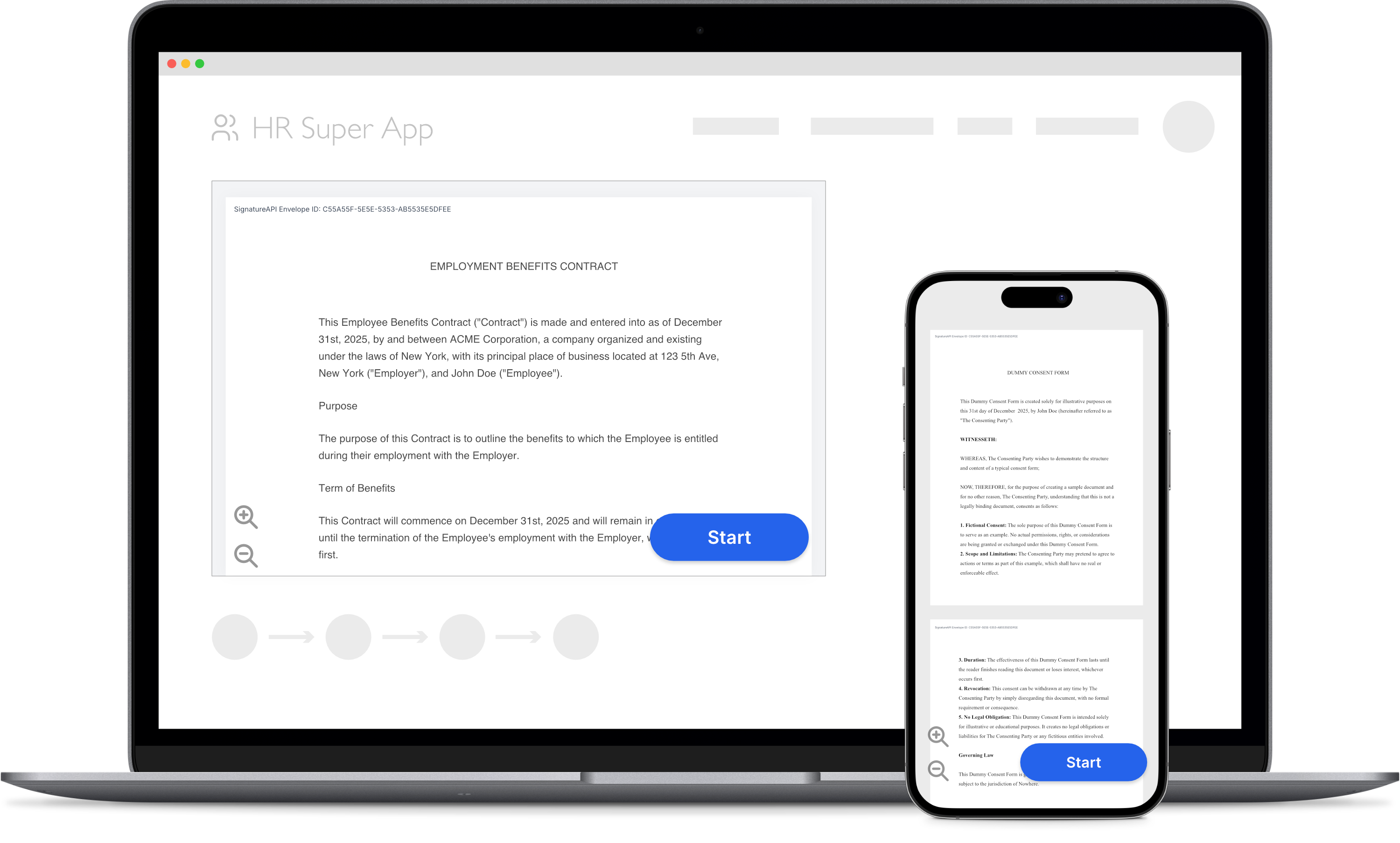
![A signing ceremony embedded in a web app on a laptop and in a mobile app on a phone, each showing the document and a Start button](https://signatureapi.com/docs/images/embedded.webp)

You can embed the signing ceremony directly in your mobile app using a WebView. The recipient signs inside your app, without switching to an external browser.

> **Tip:** **Complete, runnable example:** the [mobile integration demo](https://github.com/signatureapi/signatureapi-mobile-integration-demo) has an iOS app, an Android app, a demo server, and end-to-end tests. The [iOS](https://signatureapi.com/docs/embedded/ios) and [Android](https://signatureapi.com/docs/embedded/android) guides take their samples from it.

You need both:

- A **server** that creates the envelope and returns the ceremony URL.
- A **client** (your mobile app) that shows the ceremony and reacts to its events.

## How it works

```mermaid
sequenceDiagram
    participant App as Mobile app
    participant Server as Your server
    participant API as SignatureAPI
    participant View as WebView
    App->>Server: Ask for the signing link
    Server->>API: Create the envelope with custom authentication
    API-->>Server: Ceremony URL
    Server-->>App: Ceremony URL
    App->>View: Load the URL with embedded=true and an event_delivery value
    Note over View: The recipient signs
    View->>App: Send the event: completed, canceled, declined, or failed
    App->>Server: Did the recipient sign?
    Server->>API: Read the envelope
    API-->>Server: Recipient status is completed
    Server-->>App: Confirmed, show the result screen
```

1. Your server creates an envelope with `custom` authentication. SignatureAPI returns the [ceremony URL](https://signatureapi.com/docs/api/resources/ceremonies/ceremony-url) instead of emailing it.
2. Your app gets the URL from your server and loads it in a WebView, with `embedded=true` and an `event_delivery` value appended.
3. When the ceremony ends, it sends an event: completed, canceled, declined, or failed. Your app closes the WebView and shows the next screen.
4. Your server confirms the outcome through the API or a webhook before acting on it.

## Choose how to load the ceremony

There are three ways to receive events from a ceremony in a WebView:

```mermaid
flowchart TD
    Start([Show the ceremony in a WebView]) --> Q1{Do you already embed it in a web page with an iframe?}
    Q1 -- Yes --> Iframe[Local page with an iframe<br/>event_delivery=message<br/>needs embeddable_in]
    Q1 -- No --> Q2{Do you prefer a JavaScript message<br/>over a navigation?}
    Q2 -- No --> Redirect[Top-level WebView<br/>event_delivery=redirect<br/>recommended]
    Q2 -- Yes --> Message[Top-level WebView<br/>event_delivery=message<br/>document-start script]
```

|                          | Top-level WebView with `redirect` (recommended)              | Top-level WebView with `message`                                             | Local page with an iframe                                           |
| ------------------------ | ------------------------------------------------------------ | ---------------------------------------------------------------------------- | ------------------------------------------------------------------- |
| What the WebView loads   | The ceremony URL itself                                      | The ceremony URL itself                                                      | A page from your app that puts the ceremony in an `<iframe>`        |
| Event delivery           | `event_delivery=redirect`                                    | `event_delivery=message`                                                     | `event_delivery=message`                                            |
| `embeddable_in`          | Not needed                                                   | Not needed                                                                   | The local page's origin, such as `https://app.example.invalid`      |
| How your app gets events | Catch the `signatureapi-message://` navigation and cancel it | A script injected at document start forwards the message to native code      | The local page checks each message and forwards it to native code   |
| When to use it           | Most apps                                                    | Your app prefers a JavaScript message and can inject a document-start script | You share a web SDK page, or need your own HTML around the ceremony |

With `redirect` delivery, the ceremony navigates the WebView to a URL such as `signatureapi-message://ceremony.completed`. This is a client-side navigation, so no request reaches the network. Only the WebView's navigation handler sees it: HTTP-layer interception never does.

With `message` delivery in a top-level WebView, the ceremony posts to its own window. Your app injects a script at document start that forwards the message to native code. The script must accept only messages whose origin is the ceremony's and whose source is the page's own window. For the code, see [iOS](https://signatureapi.com/docs/embedded/ios#use-message-delivery-instead) and [Android](https://signatureapi.com/docs/embedded/android#use-message-delivery-instead).

With a local page, load its HTML with a synthetic https base URL. The WebView fetches nothing from that origin. List the same origin in the ceremony's `embeddable_in`.

The iOS and Android guides cover all three approaches. The React Native guide covers the top-level WebView.

- [iOS](https://signatureapi.com/docs/embedded/ios): `WKWebView` with a `WKNavigationDelegate`.

- [Android](https://signatureapi.com/docs/embedded/android): `WebView` with a `WebViewClient`.

- [React Native](https://signatureapi.com/docs/embedded/react-native): `react-native-webview` with a navigation handler.

For a complete, runnable app with a server, see the [SignatureAPI mobile integration demo](https://github.com/signatureapi/signatureapi-mobile-integration-demo).

## Create the ceremony on your server

Your server creates the envelope with these settings on the recipient:

- `custom` authentication, so the response includes the ceremony URL.
- `delivery_type` set to `"none"` if your app distributes the signed documents itself.
- No `redirect_url`. Embedded ceremonies ignore it.
- No `embeddable_in` for a top-level WebView. For a local page, list that page's origin.
- Optionally, `redirect_delay` set to `0` so your app shows its own result screen right away.

```http
POST /v1/envelopes HTTP/1.1
Host: api.signatureapi.com
X-API-Key: YOUR_API_KEY
Content-Type: application/json

{
  "title": "Service Agreement",
  "documents": [
    {
      "url": "https://pub-9cb75390636c4a8a83a6f76da33d7f45.r2.dev/privacy-placeholder.pdf",
      "format": "pdf",
      "places": [
        {
          "key": "signer_signs_here",
          "type": "signature",
          "recipient_key": "client"
        }
      ]
    }
  ],
  "recipients": [
    {
      "type": "signer",
      "key": "client",
      "name": "Jane Doe",
      "email": "jane.doe@example.com",
      "delivery_type": "none",
      "ceremony": {
        "authentication": [
          {
            "type": "custom",
            "provider": "Acme Portal",
            "data": {
              "user_id": "usr_12345"
            }
          }
        ],
        "redirect_delay": 0
      }
    }
  ]
}
```

The `201 Created` response already includes `recipients[].ceremony.url`. The ceremony opens once the envelope is `in_progress` (the `envelope.started` event); opened earlier, it asks the recipient to try again later. Return the URL to your app once the envelope is `in_progress`. If you read the envelope again with `GET /v1/envelopes/{envelope_id}`, the response carries a new URL for the same ceremony; earlier URLs keep working until they expire. See [A new URL on every read](https://signatureapi.com/docs/api/resources/ceremonies/ceremony-url#a-new-url-on-every-read).

## Rules for every platform

- **Keep your API key on your server.** Never call SignatureAPI from the app. An API key in an app bundle is exposed to anyone who installs the app.
- **Leave `redirect_url` unset.** Embedded ceremonies send events instead of redirecting.
- **Confirm the outcome on your server.** An event is a UI signal, not proof. Read the envelope (`GET /v1/envelopes/{id}`) or use a webhook before acting on it. See [Confirm the outcome on your server](https://signatureapi.com/docs/embedded/ceremony-events#confirm-the-outcome-on-your-server).
- **Branch on `error_type`.** For `ceremony.failed`, treat an unknown value as a generic failure. Don't show `error_message` to recipients. See [Error types](https://signatureapi.com/docs/embedded/ceremony-events#error-types).
- **Keep the default WebView settings.** They work, except that Android needs JavaScript turned on. The ceremony needs no cookies or storage. See [Browser requirements](https://signatureapi.com/docs/embedded/introduction#browser-requirements) for the hosts to allow.
- **Treat the URL as a credential.** Don't log it or store it on the device. To resume, ask your server for the current URL. See [A new URL on every read](https://signatureapi.com/docs/api/resources/ceremonies/ceremony-url#a-new-url-on-every-read).
- **Test with real input.** The ceremony completes only after input a person produces. See [Automated testing](https://signatureapi.com/docs/embedded/introduction#automated-testing).

## Try it

Use your [test API key](https://signatureapi.com/docs/api/test-mode) to create a test envelope and ceremony. Test envelopes don't send emails, so you can try your integration without affecting real recipients. Review the results in your Dashboard.

## Keep learning

- Read the [Ceremony Events](https://signatureapi.com/docs/embedded/ceremony-events) reference for every event type and error type.
- Learn how to [customize the signing ceremony](https://signatureapi.com/docs/embedded/customization) to match your app's branding.
- Explore [Custom Authentication](https://signatureapi.com/docs/api/resources/ceremonies/authentication/custom) for details on the server-side ceremony setup.
